
5 Best Enterprise Messaging Apps for Centralized Communication
It can be challenging to manage communication across teams, especially when messages, tasks, and updates are spread across multiple tools.
Enterprise messaging apps provide a solution by centralizing team discussions, file sharing, and project updates in one platform.
However, internal collaboration is only one part of your communication needs. It requires a different approach to engaging customers.
In this article, we’ll explore a list of popular enterprise messaging apps. You’ll also find out how an SMS marketing platform can turn business communication from a daily struggle into a competitive advantage.
How Messaging Apps Improve Business Operations
Business messaging apps have become essential tools for running smooth and productive operations.
They combine task management, communication, and secure messaging into one platform. Teams stay connected, work together better, and get things done faster.
Let’s look at how these apps make business operations easier and more effective:
Keep Communication in One Place
Messaging apps allow you to create private and public channels for specific topics, teams, or projects. Each channel acts as a dedicated space for related discussions.
You can set up channels for projects, departments, or topics. For example, a channel called #marketing could handle everything related to campaigns.
A team messaging app has powerful search features that help you find old messages, shared files, or important updates. You can type in keywords, phrases, or even someone’s name to pull up message history quickly.
Faster Decisions
Messaging apps help you make decisions by allowing teams to communicate and collaborate in real time. Speed is essential in environments where delays can slow down progress or lead to missed opportunities.
With messaging apps, teams can exchange information, ask for approvals, and resolve issues without waiting for lengthy email responses or scheduling formal meetings.
Business messaging apps also make seamless collaboration easier. Multiple people can join a discussion in a shared channel, share their input, and reach a decision together.
Make Teamwork Easier
Business messaging apps make it easy to maintain organized communication. Teams can set up separate channels for specific projects, departments, or clients. This way, discussions stay on topic, and relevant information doesn’t get lost in unrelated chatter.
Many messaging apps integrate with tools like Google Calendar or Microsoft Suite, which allows teams to co-edit documents or presentations in real time.
Instead of going through long email chains to find a file, team members can upload and access documents, images, or videos directly in the chat. Files are stored in the app’s archive, which makes them easy to retrieve later, even across multiple apps.
Keep Everyone Connected
Whether your teams need to coordinate as a group or have one-on-one conversations, messaging apps offer flexible messaging channels.
Group chats and channels make it easy to share updates or collaborate on projects, while direct messages are ideal for quick questions or private discussions.
Messaging apps work on multiple devices, including phones, tablets, and desktops. Team members can stay connected whether they’re working from home, traveling, or on-site.
For large businesses with team members across different time zones, messaging apps support real-time communication. Team members can leave messages, share updates, or post questions even when others are offline.
5 Best Enterprise Messaging Apps in 2026
Choosing the best enterprise messaging app depends on your organization’s specific needs. Below is a list of the top tools you might consider:
1. Slack
Slack is a widely used messaging app that provides tools for team communication and collaboration. Its platform supports channels for organizing conversations, direct messaging, and search functionality.
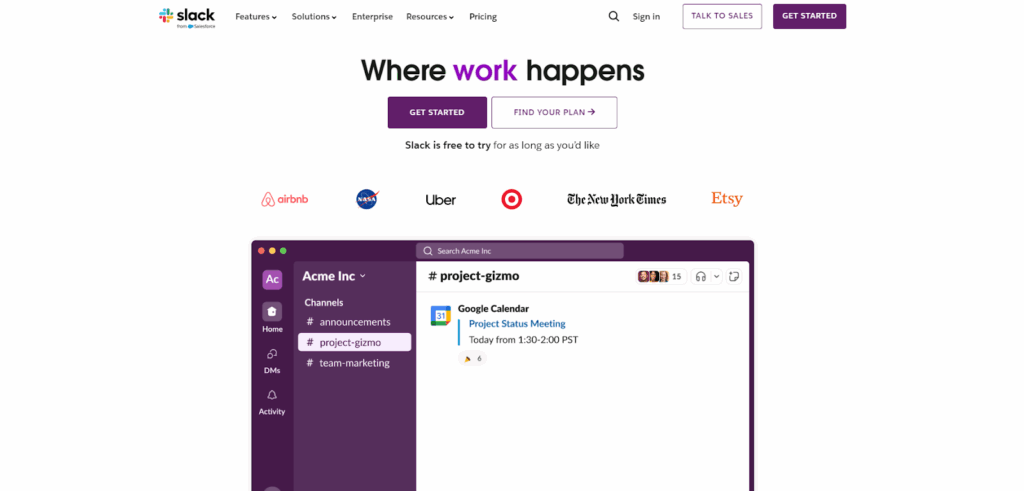
Image Source: slack.com
Slack features voice messages and video calling options, where teams can communicate in real time. It integrates with numerous third-party apps, which connect external apps to the platform.
It also includes basic security features, like encryption and access controls, to protect sensitive data.
Pricing
- The Free plan comes with 90 days of message history and integration to up to 10 apps
- The Pro plan is $8.75 per month, which comes with unlimited message history and integrations, ideal for small teams
- The Business+ plan costs $18 per month and includes extra security and admin features for growing businesses
- For large organizations, the Enterprise+ plan provides advanced tools for managing big teams at a custom price
2. Microsoft Teams
Microsoft Teams combines chat, video conferencing, and collaboration tools in a single platform. Designed to integrate with the Microsoft 365 suite, it allows you to access and collaborate on Word documents, Excel spreadsheets, and PowerPoint presentations.
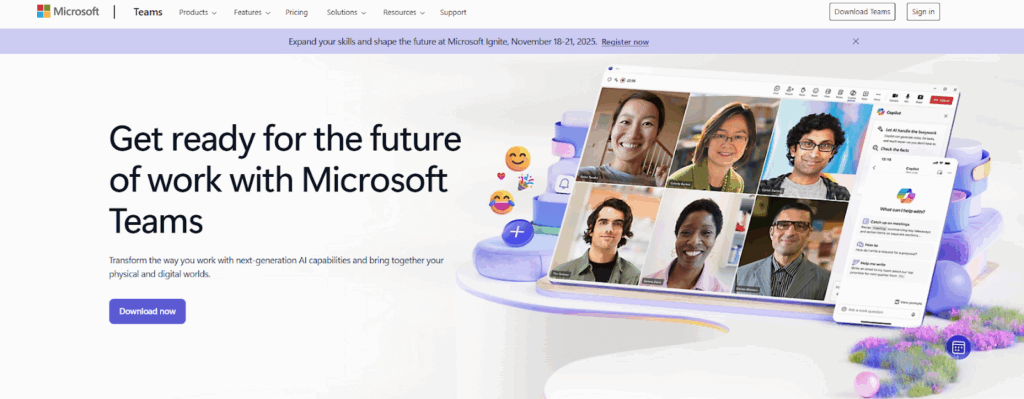
Image Source: microsoft.com
It supports group and one-on-one chats, video calls, and meetings, making it suitable for both internal communication and external collaboration. Channels and tabs can be customized to organize conversations and workflows.
The app also integrates with various third-party tools and offers features like screen sharing, file sharing, and meeting recordings for remote and hybrid work setups.
Pricing
- The Microsoft Teams Essentials plan costs $4.00 per user per month, with all the basic features
- The Microsoft 365 Business Basic plan is $6.00 per user per month, offering Teams along with additional Microsoft 365 features
- For more advanced tools, the Microsoft 365 Business Standard plan is available at $12.50 per user per month
All plans are billed yearly and come with different apps and services included for each tier.
3. Zoom Team Chat
Zoom Team Chat is an extension of the well-known Zoom video conferencing platform, designed to provide messaging capabilities for teams. It allows users to participate in group chats, share files, and engage in threaded conversations to keep discussions organized.
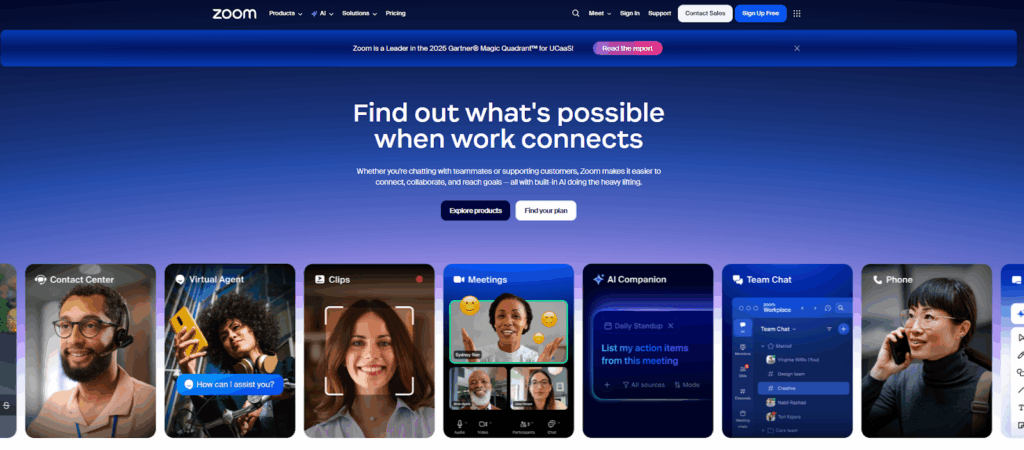
Image Source: zoom.com
Its key features include creating and using channels for specific projects or departments, configuring admin professional settings for better control, and continuous meeting chat.
The Team chat app is built with the same simplicity that Zoom users are accustomed to, which makes it easy for teams to transition between messaging and video calls.
Pricing
- The Pro plan costs $16.99 per user per month, which includes 30 hours and 100 participants per meeting
- The Business plan costs $21.99 per user per month, ideal for larger teams with 300 participants per meeting
- The Enterprise plan has customized pricing for even larger teams and can cater to 1,000 participants per meeting
4. Google Chat
Google Chat is a messaging platform designed for businesses looking to simplify team communication. As part of the Google Workspace ecosystem, it integrates with tools like Google Drive, Calendar, and Docs, which makes it convenient for teams already using these services.
It allows you to create dedicated spaces for discussions, share files within conversations, and manage tasks through built-in collaboration features.
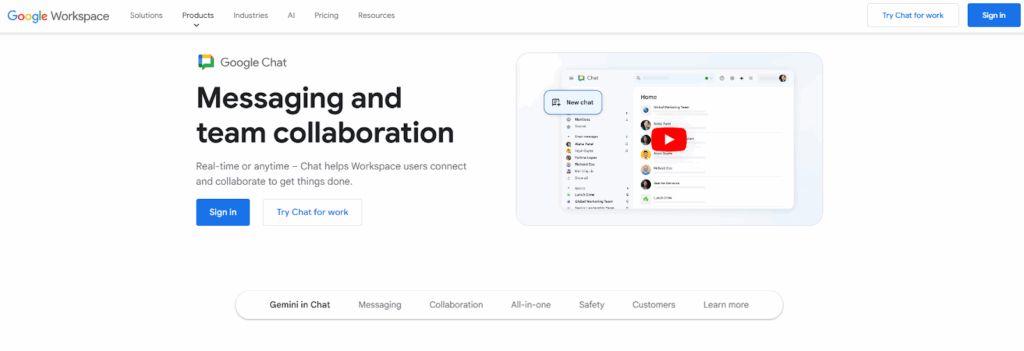
Image Source: workspace.google.com
This team chat software also supports secure messaging to keep team communications private and protected.
While Google Chat is a practical choice for organizations tied to Google Workspace, its features may feel basic compared to more specialized enterprise messaging apps.
Pricing
- The Starter plan costs $8.40 per user per month and comes with 30 GB pooled storage per person, video meetings for 100 participants, and a Gemini AI assistant in Gmail.
- The Standard plan is priced at $16.80 per user per month, with bigger storage and participants, appointment booking pages, and eSignature with Docs and PDFs
- The Plus plan costs $26.40 per user per month with upgraded features, data vault, and advanced endpoint management
- The Enterprise plan offers custom pricing for enterprise-grade security and compliance
5. Zoho Cliq
Zoho Cliq is a communication tool that helps teams collaborate through organized channels and provides easy access to information.
The platform works across devices, which makes it useful for hybrid work setups. It offers premium features like drag-and-drop file sharing and unlimited storage for sharing documents and images.
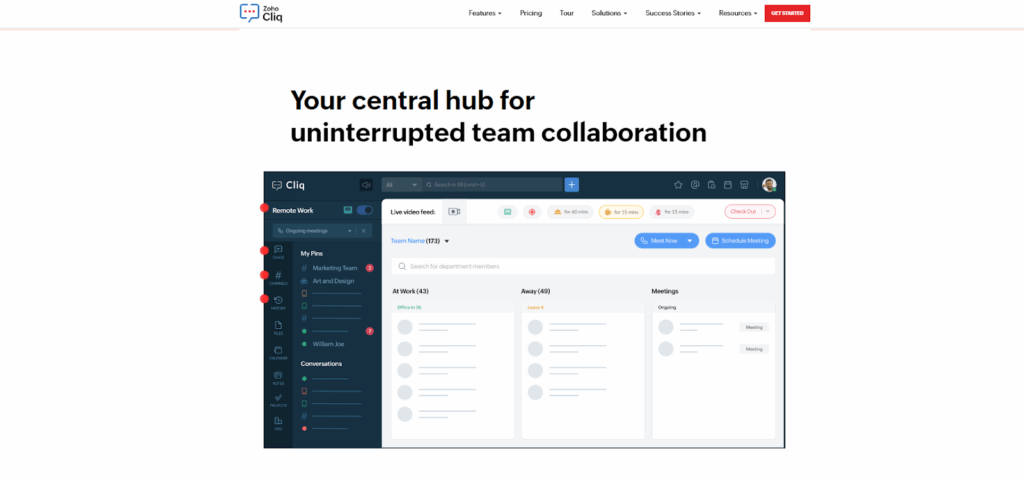
Image Source: zoho.com
The platform also supports video calls for up to 100 people and lets you switch between chats and calls. Zoho Cliq integrates with Zoho apps and third-party tools so that teams can pull updates directly into chats.
Pricing
- The Free plan includes basic messaging features and chat export
- The Standard plan costs $18 per month and supports up to 25 users, ideal if you need usage reports or a custom domain email
- The Professional plan costs $2 per user per month for a minimum of 10 users, suitable for team and task management
- The Enterprise plan is available at $4 per user per month, also requiring a minimum of 10 users, and comes with advanced usage reports and audit history
How to Choose the Right Enterprise Messaging App
The best instant messaging app can transform how your team collaborates, simplify workflows, and boost your customer connections. Let’s explore how to make the decision that best aligns with your organization’s goals.
Understand Your Business Needs
Start by identifying what your business needs most from an enterprise messaging app. Tools like Slack and Microsoft Teams are ideal for team communication and keeping everyone organized.
They offer features like task management, file sharing, and third-party integrations to support daily workflows.
If your business regularly communicates with customers, you might also need a platform with real-time messaging or tools that work well with your CRM system.
Knowing what’s important for your business will help you choose the right app for both team collaboration and customer interactions.
While these tools are ideal for internal communication, it’s worth noting that you may sometimes need solutions beyond traditional messaging apps.
If you need tools for customer outreach, SMS marketing platforms like Textellent complement these enterprise messaging apps by offering additional capabilities tailored for external engagement.
Sign up for a free trial or request a demo consultation with Textellent today!
Look for Integration Capabilities
An effective enterprise messaging app should integrate with your existing tools, such as CRMs, project management platforms, or scheduling systems.
Textellent integrates with CRMs like Salesforce and HubSpot to sync customer data in real time. Therefore, your internal work conversations on platforms like Slack or Teams can translate into customer engagement strategies.
Evaluate Security and Compliance
Security is non-negotiable, especially for businesses handling sensitive customer or company data. Despite robust security features, enterprise messaging apps can still be vulnerable to data breaches if not managed correctly.
Mismanagement of access controls or using unsecure networks can put sensitive business data at risk.
Textellent secures communication through robust encryption, multi-factor authentication, and compliance features like TCPA safeguards. It automatically handles SMS opt-ins and opt-outs to reduce the risk of non-compliance and manages sensitive data for regulated industries.
Assess Usability and Adoption
As you scale, it’s important to choose a messaging app that can grow with your entire organization. Enterprise-grade apps are built to handle larger teams, more channels, and increasingly complex workflows.
Choosing a platform with an intuitive user interface ensures that even teams with less technical training can adopt the system quickly.
While Slack and Teams are valuable for managing internal collaboration, you may also explore additional solutions, such as Textellent, to address other business communication needs.
Textellent offers features like centralized templates and pre-designed materials to provide an added layer of functionality for specific use cases that go beyond internal team messaging.
Prioritize Customization
When choosing an enterprise messaging app, you should be able to customize workflows and automate processes for creating a system.
Some platforms allow deep customization options, while others offer only limited changes. If you want a platform that works well for Google Workspace users, finding one that syncs with Workspace apps will make day-to-day communication easier.
Slack and Microsoft Teams let you organize conversations by projects or departments.
Alternatively, if you need external communication alongside internal collaboration, platforms like Textellent can customize SMS campaigns and templates to match your branding.
Automation for Consistency
Automation is a key feature in enterprise messaging apps, which allows teams to manage tasks like notifications, reminders, and scheduled announcements without manual intervention.
Messaging apps such as Microsoft Teams integrate with tools like Power Automate to trigger workflows for routine tasks.
Similarly, if you’re prioritizing customer communication, SMS automation tools can help automate customer outreach, such as appointment reminders and follow-ups, to maintain timely and consistent engagement.
Monitor Reporting and Analytics Features
Analytics are important for tracking the effectiveness of your messaging strategy.
For internal communication, messaging apps like Slack offer basic reporting features, such as tracking message volume and channel activity. These insights help you monitor how the platform is being used and identify areas where engagement can be improved.
But if you need a strong customer focus, powerful analytics for external communication is equally important.
Textellent goes beyond standard reporting, offering dashboards that track the performance of automated text campaigns, SMS compliance rates, and customer engagement metrics.
Therefore, customer updates, confirmations, and follow-ups remain separate from internal conversations.
How SMS Complements Enterprise Messaging Apps
Enterprise messaging apps are ideal for speeding up internal communication and collaboration. They help teams stay organized, share updates, and manage workflows better.
However, these tools primarily focus on internal operations and are not built for direct customer engagement.
This is where SMS becomes a powerful complement, which bridges the gap between internal team workflows and external customer communication.
Extend Communication Beyond Teams
While enterprise messaging apps help teams collaborate, SMS offers a direct and personal way to reach other users outside the organization. Customers are unlikely to interact with internal messaging platforms, but they are almost guaranteed to read a text message.
SMS provides you with a reliable channel for sharing time-sensitive information like automatic text reminders, order confirmations, or promotional messages.
For example, a specific team using Slack to plan a campaign can use SMS to deliver the finalized message directly to customers’ phones.
Real-Time Customer Engagement
Unlike enterprise messaging apps that focus on communication among co-workers, SMS allows you to engage customers in real time. Industries like healthcare, retail, or service-based businesses can also benefit well from this timely communication.
Seamless Integration With Internal Systems
SMS marketing software integrates with the same tools that enterprise messaging apps connect to to ensure tight integration across operations. Whether it’s CRM systems, scheduling software, or databases, it offers file transfers and data syncing without disruption.
If your sales team uses Microsoft Teams, for instance, you can easily schedule meetings and automate SMS reminders to maintain customer engagement.
Improve Campaign Effectiveness
SMS platforms provide additional tools like SMS segmentation, automation, and analytics, complementing enterprise messaging apps’ organizational features.
You can target customers based on behaviors or preferences, making campaigns more precise. This level of focus boosts overall productivity by ensuring teams work smarter and customer engagement remains high.
It also offers unique features like sentiment analysis for opt-outs, delivery tracking, and intelligent SMS autoresponders. These advantages are not always available with internal-only platforms.
Ensure Compliance and Security
Enterprise messaging apps prioritize internal security, but SMS platforms improve external communication compliance. Opt-in programs, secure file transfers, and sentiment-based opt-out detection ensure that businesses protect customer preferences and stay within legal guidelines.
Also, while many messaging apps offer a free version, advanced texting tools often come with paid plans that guarantee expanded features and better compliance options.
Other Considerations
You should also evaluate platform flexibility. Some messaging and SMS platforms are designed for open-source collaboration so that teams can modify and adapt systems to their specific needs through open-source customization.
This can be useful if your company has technical resources and needs high customization.
You should also keep in mind that while many apps integrate well, some still have limited integrations with other apps, which can slow down workflows.
Others may offer only a limited free plan or require a learning curve before full adoption if your team doesn’t have deep technical knowledge.
Choosing a platform with a user-friendly interface is important for fast onboarding, particularly if you’re managing an entire team or working with a relatively small user base.
The platform should fit your organization’s size and growth plans, which can lead to better outcomes in customer engagement and internal efficiency.
Why Is Textellent the Best Dedicated Tool for Customer Communication
While the platforms mentioned above are great for internal team collaboration, Textellent offers improved enterprise-level customer communication via text messaging.
It focuses on external communication with customers, leads, and clients through SMS. This method consistently achieves high engagement rates.
Here’s how this enterprise texting solution can help:
Create Automated Text Campaigns
Textellent lets you create and send SMS campaigns tailored to your business goals. Running campaigns, such as for marketing, appointment reminders, or follow-ups, saves you a lot of time.
You can use brand-approved templates and images from a shared library to maintain a professional message. It’s also easy to launch campaigns nationwide or give local branches control to run their own.
Track and Improve Campaign Results
Textellent includes dashboards that show how campaigns are performing in real time. These tools let you track how many messages were sent, how many customers responded, and how many opted out.
Custom reports can be created to measure results and see what’s working. You can check which branches are the most active and use that information to share best practices with multiple locations.
Works With Your Current Tools
Integration makes it easier to send personalized messages based on a customer’s past purchases, appointments, or interests.
Textellent connects with tools you already use, like CRMs, point-of-sale systems, or scheduling apps. It offers options like APIs, Zapier connections, and Chrome extensions, so everything stays in sync.
Keeps Your Business and Customers Safe
Textellent is built to meet strict security and compliance standards. It guarantees customers can opt in and out of messages easily. It also uses AI-powered sentiment analysis to understand when someone doesn’t want to receive texts anymore.
All data is stored securely in the cloud with encryption and multi-factor authentication to protect against threats like hacking or phishing.
Reliable Performance for Big Businesses
Textellent’s platform is reliable, with 99.99% uptime and the ability to handle large numbers of messages. Whether you’re sending texts to a few customers or thousands, the system delivers all your bulk SMS messages.
If you have a corporate headquarters, you can use a bulk messaging service to manage multi-location marketing campaigns, while branch offices handle local customer interactions.
Dashboards and corporate-level tools make it easy to monitor adoption rates and identify areas for improvement.
Personalized Messaging for Better Results
Textellent helps you send messages that feel personal with features like customer tags and segmentation.
You can send follow-ups to new customers, reminders for product deliveries, or offers based on past purchases to strengthen customer relationships and even boost sales. In collaboration, Textellent offers improved enterprise-level customer communication via text messaging.
Textellent’s Predictable and Cost-Effective Plans
You can try the platform for free with a 14-day trial, including 25 SMS credits and access for one user to explore all features.
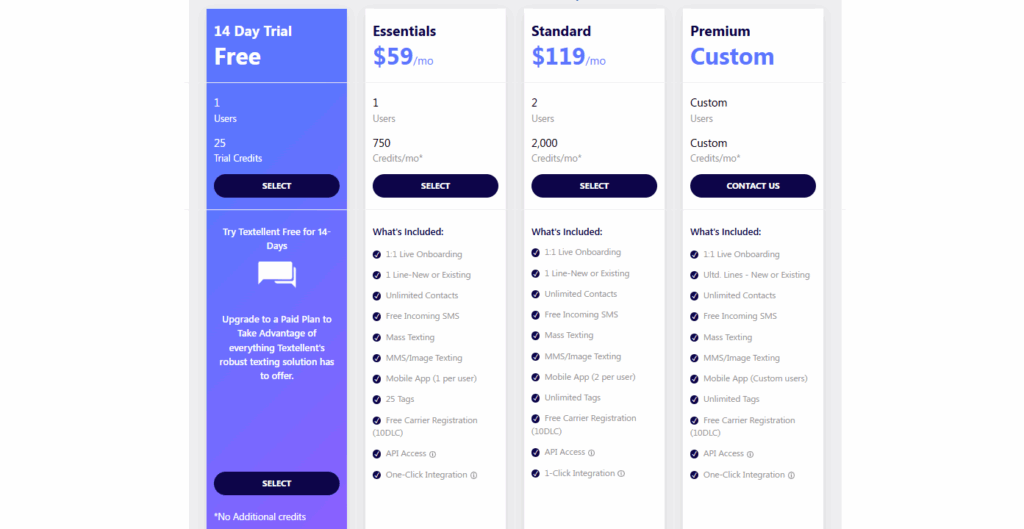
- The Essentials plan, ideal for small businesses, is priced at $59 per month and provides 750 SMS credits to handle moderate messaging needs.
- For growing businesses, the Standard plan offers 2,000 SMS credits and enhanced features for $119 per month, supporting more advanced messaging requirements.
- If you have unique business needs, you can opt for the Premium plan, which offers tailored solutions with custom pricing.
Expand Beyond Internal Messaging—Textellent Brings Your Customers Closer!
Enterprise messaging apps are great for team collaboration, but they aren’t designed to connect with customers directly. Textellent helps you connect with your customers through easy-to-use text messaging.
Textellent makes customer communication easy and efficient. You can set up automated text campaigns to save time and ensure every message is sent at the right moment.
It also integrates with CRMs, so your customer information stays up to date. Plus, built-in encryption safeguards give you peace of mind and protect your business while building trust.
If your current messaging tools stop at internal communication, it’s time to expand. Textellent works alongside your existing tools, delivering reliable and effective SMS solutions.

Sign up for a free trial or request a demo consultation with Textellent today to see how it can simplify customer communication!
FAQs About Enterprise Messaging Apps
What is the most popular enterprise instant messaging and group chat tool?
Tools that prioritize data security and seamless collaboration stand out. Solutions like Microsoft Teams and Slack offer easy ways to assign tasks, organize projects, and integrate with Google products.
However, if you value external communication, Textellent extends enterprise-grade messaging to SMS to help your teams reach clients easily.
What is one of the most popular messaging apps used in business environments?
The most widely used business messaging platforms are those that combine speed, flexibility, and scalability. They support the same features across different systems like Windows, Android, and Linux, allowing employees to stay connected from anywhere.
Many of these tools also include strong audit logs and integration with other services to ensure transparency and compliance in every communication.
How to tell if someone is using a secret messaging app?
Secret messaging apps often disguise themselves under generic names or icons and may include hidden folders or password-protected access.
Unlike enterprise tools that rely on centralized management and chat API integrations, these apps lack the monitoring and oversight features businesses depend on.
In professional settings, authorized messaging systems include built-in audit logs to prevent misuse and ensure accountability.
What is the most widely used messaging app?
Messaging platforms that allow you to talk and share information across web, desktop, and mobile devices have become the standard. WhatsApp, Teams, and Slack are among the most recognized due to their cross-platform compatibility, including Windows and Android support.
But when it comes to client outreach and cross-channel engagement, Textellent leads the way. It bridges internal and external communication through texting.

Get Started with Business Texting
Simple to launch, built to scale. Try Textellent FREE for 14 Days
Start Free Trial