
What Is RCS Messaging and Do You Need to Adopt It in 2026?
Texting has come a long way since the early days of SMS. Now, a newer option called Rich Communication Services (RCS) is being positioned as the next step in mobile marketing.
RCS is a richer version of texting that adds features like read receipts, typing indicators, high-quality media, branded profiles, and interactive buttons. It works through mobile data or Wi-Fi instead of the older SMS network.
However, RCS still faces adoption issues. Not every device supports it, carriers handle it differently, and it only works when customers have an internet connection.
In this article, we’ll explore how RCS messaging works, what features it offers, and the challenges it still faces. You’ll also see why SMS remains the trusted foundation for business outreach and customer engagement.
TL;DR
- RCS is an upgraded form of texting that adds richer features for more visual and interactive conversations.
- The history of RCS chat messaging shows how SMS limitations led to GSMA standards, Google’s Android rollout, carrier efforts like CCMI, and wider support through Google Messages and iOS 18.
- The downsides of RCS messaging include limited reach, internet dependence, uneven display, security gaps, and higher campaign costs that make it harder for businesses to rely on it for broad outreach.
- SMS remains the standard for business messaging because it works on nearly every mobile phone and supports reminders, confirmations, promotions, and follow-ups in a familiar channel.
- Textellent helps you close RCS gaps with SMS and MMS campaigns, visual messages, links, text-enabled numbers, organized replies, automation, and consent-based messaging tools.
What Is RCS Messaging?
RCS is a modern messaging protocol designed to upgrade standard texting with enhanced messaging features.
Here are some of the key features of RCS messaging:
- Multimedia sharing: Send high-resolution photos, videos, graphics, and larger files in supported conversations
- Read receipts: See when a message has been delivered or read, depending on the app, device, and settings
- Typing indicators: Show when someone is typing a reply in an active RCS conversation
- Verified business profiles: Display a business name, logo, and sender details in supported business messages
- Quick action buttons: Add buttons for actions such as booking, confirming, tracking an order, or opening a link
- Improved group conversations: Support richer group chats with better media sharing and conversation features
Compared with popular messaging apps like Facebook Messenger and other messaging apps, RCS works inside the phone’s native inbox and does not require additional apps.
RCS makes texting feel more interactive and visually rich than traditional SMS. But to receive rich media, both the sender and recipient need compatible RCS support.
That’s one reason the experience can vary between customers. If RCS is not available, some messages may be sent as SMS.
The History and Evolution of RCS Chat Messaging
RCS and SMS both connect people through text. However, there are a few key differences in how messages are sent, displayed, and supported.
SMS had long been used for short, basic messages. But it did not support richer features like read receipts, typing indicators, larger files, or high-quality media.
RCS was introduced to bring those app-like features into the phone’s native messaging app.
The early work on RCS began around 2007, and the GSM Association published the first RCS specifications in 2008. Adoption was slow at first because carriers, phone makers, and messaging apps did not always follow the same setup.
RCS gained more attention after Google acquired Jibe Mobile in 2015 to support RCS rollout on Android.
In 2016, GSMA introduced the RCS Universal Profile, which gave carriers and device makers a shared standard for features like group chat, file sharing, media sharing, and delivery updates.
Verizon, AT&T, and T-Mobile also tried to support wider RCS adoption. In October 2019, the three carriers announced the Cross Carrier Messaging Initiative (CCMI) as a joint effort to bring RCS messaging to more users.
How Does RCS Messaging Work?
RCS became more common through Google Messages on Android, then expanded further when Apple added RCS support with iOS 18.
RCS on Android
Android users access RCS through Google Messages. To enable RCS messaging on Android devices, open Google Messages, go to settings, and tap RCS chats to review whether RCS is on.
When RCS is available for both Google Messages users in the conversation, it can send the message as an RCS chat.
If RCS is not available, the message may be sent as SMS or multimedia messaging service (MMS) instead, depending on the app and settings.
RCS on iPhone
On iPhone, RCS works on supported Apple devices with iOS 18 or later. Users also need a cellular plan from a carrier that supports RCS messaging.
When RCS is available, iPhone users can exchange richer messages with Android users. Availability can still depend on the carrier, region, software version, and message settings, so not every iPhone conversation will use RCS.
The Downsides of Using RCS for Business Messaging
While the idea of richer, app-like conversations inside the default phone messenger sounds promising, several issues limit its appeal for businesses.
Incomplete Reach
RCS is described as the upgrade to texting, but its reach is far from universal. Adoption depends on carrier support, software versions, and the type of device in use.
Some Android users enjoy RCS chat features like media sharing and branded messaging, while others see only a basic fallback. That uneven experience makes it difficult for you to know how your messages will appear once delivered.
While Apple added RCS support with iOS 18, users still need a cellular plan from a mobile carrier that supports RCS messaging on iPhone. Availability can also vary by region and settings, so not every conversation will use RCS.
This marks a step forward, but full adoption will take time as global carriers update systems and customers upgrade their primary devices.
Dependence on Internet Access
RCS relies on either data or Wi-Fi connection to send and receive messages.
If a customer has no internet connection or is in an area with weak coverage, the message may be delayed or fall back to plain text.
That delay can be the difference between a customer receiving a time-sensitive alert or missing it altogether.
Costs can also play a role. In areas where data plans are limited, customers may switch off cellular data to save usage.
If a message arrives during that time, it won’t be sent until the user reconnects.
Lack of Uniform Experience
The RCS standard is not applied in the same way on all networks, phones, or regions.
Some carriers support advanced RCS features such as branded messages, quick reply buttons, and high-resolution media.
On top of that, different message settings or older third-party apps may alter how a campaign looks. You might design an interactive promotion with images and suggested actions, but only part of the audience will see it as intended.
The result is a customer experience that varies, even within the same campaign. Such uneven delivery also complicates measurement.
Engagement rates may appear lower, not because the campaign was weak, but because some customers never saw the full version of the message.
Security Gaps
RCS supports end-to-end encryption in some conversations, but protection can still vary depending on the app, carrier, and messaging setup being used.
Because support is not always consistent, some users still prefer SMS or MMS for simpler and more dependable communication.
Cost vs. Return
When you build campaigns for RCS, this requires more resources than SMS. Rich media, branded templates, and interactive features all take extra time and budget to design.
Unlike SMS pricing, which operates on a flat fee structure in most markets, RCS pricing can vary depending on the carrier or messaging provider.
Some charge more for extras like video sharing, branded sender IDs, or showing a profile picture alongside your message.
RCS campaigns also require ongoing adjustments to remain compatible across cellular networks.
If you need predictable results, those expenses often outweigh the benefits. When all these factors are considered together, many businesses hesitate to put RCS at the core of their messaging strategy.
SMS remains the lower-cost, predictable option with guaranteed reach. RCS can add value for targeted use cases, but the balance of cost versus return still leans toward SMS for most businesses.
SMS Remains the Standard for Business Messaging
Text messaging has long been one of the most trusted tools for business communication.
Appointment reminders, order confirmations, shipping updates, and quick promotions all reach customers instantly in a channel they already use every day.
Unlike RCS, which still depends on carrier rollouts and device updates, traditional SMS messaging works on every mobile phone.
Over time, texting has also become a flexible marketing tool. A text marketing platform such as Textellent allows you to schedule marketing campaigns, manage contact lists, and automate follow-ups to build lasting customer relationships.
Open rates remain far higher than email or social campaigns, which is why so many organizations continue to prioritize SMS marketing as a central channel.
Textellent Helps You Communicate Without Gaps
RCS can improve visual and interactive messaging experiences, but SMS remains the safer choice for broad message delivery.
An SMS business solution like Textellent helps you send messages and keep conversations in one system.
Make Campaigns Visually-Appealing
RCS brings credit for making messages more visual. But it still depends on the RCS network, supported mobile devices, and message settings.
MMS marketing gives your SMS campaigns a similar visual advantage, without moving customers away from standard texting or making you worry about the message switch.
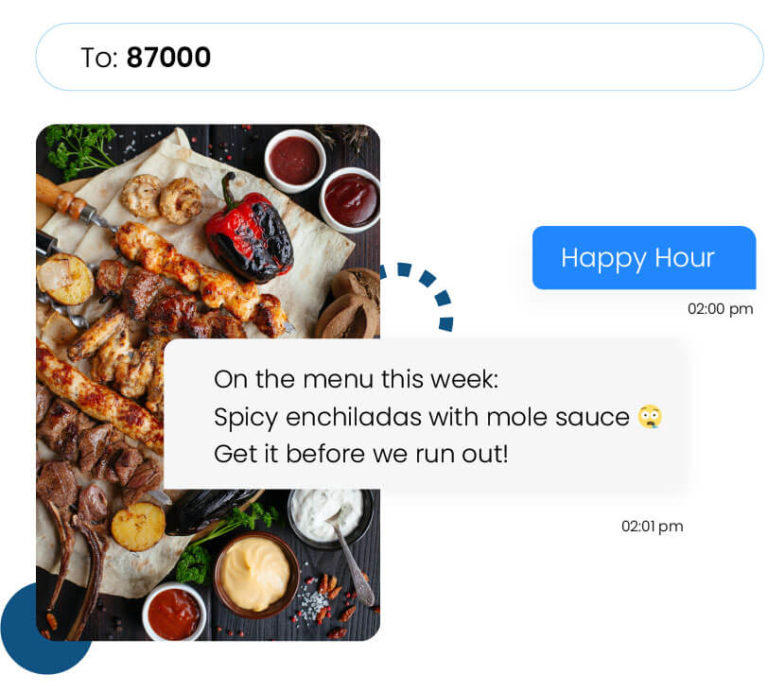
Textellent lets you add MMS to campaign messages, so your promotions do not have to rely on plain text alone. You can send a coupon image for a sale, a product photo for a new offer, or a service image that makes your message faster to act on.
Send More Useful Messages
RCS can add buttons and guided actions inside a message. SMS and MMS campaigns can still drive customers to the next step with short copy, strong visuals, and clickable links.
Textellent lets your business send offers with links to booking pages, payment pages, forms, review pages, coupons, brochures, estimates, and downloadable files.
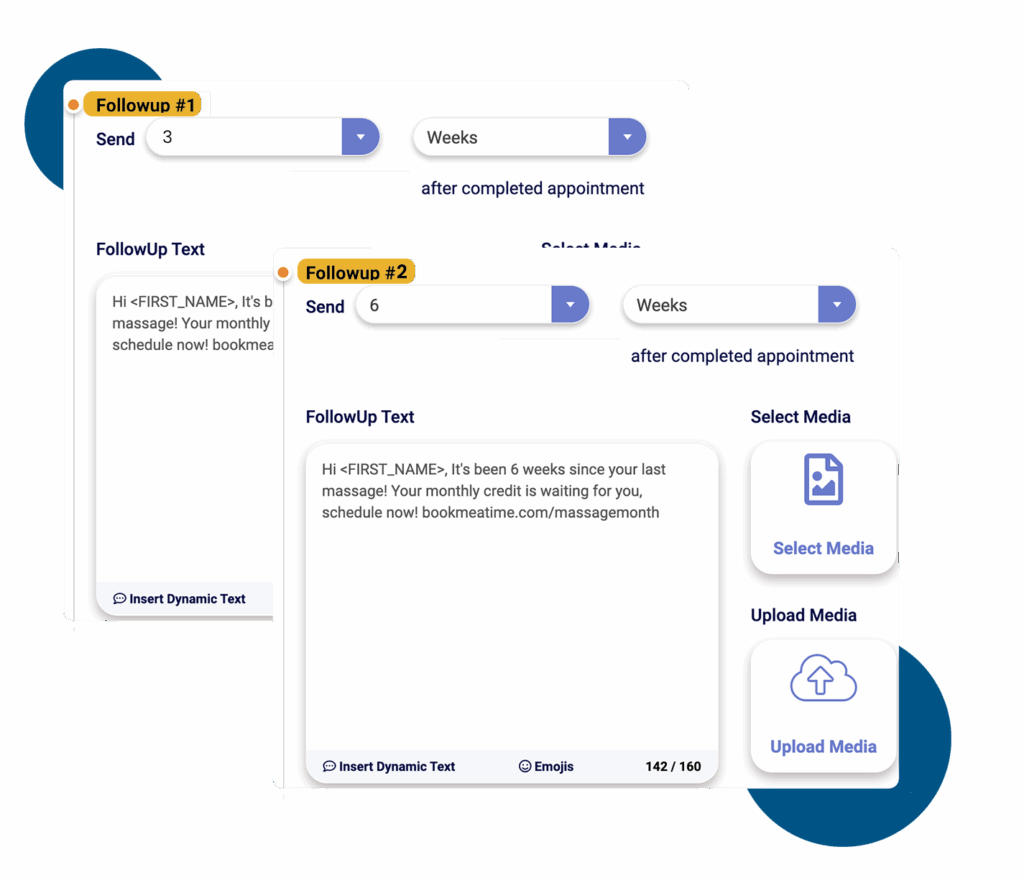
Customers can view the offer, tap the link, and respond from the same text thread without needing an RCS-enabled device.
Strengthen Brand Recognition
SMS builds recognition in a simpler way through a phone number customers already know, see, save, and use.
Textellent allows you to turn a familiar phone number into a text-enabled contact point for campaigns, reminders, and customer replies.
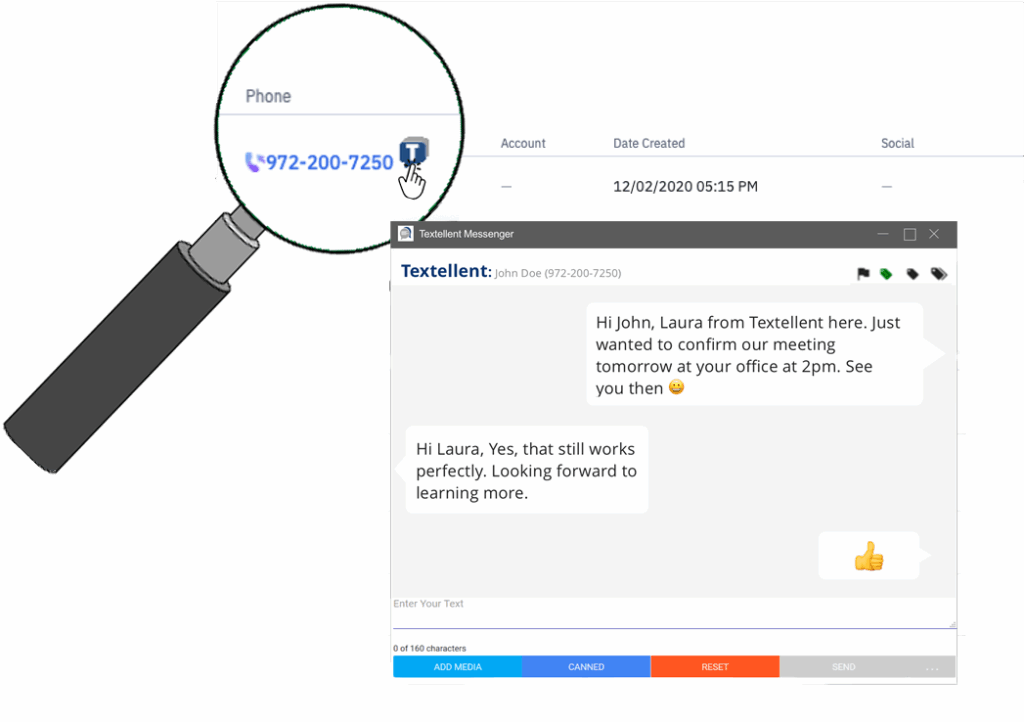
Instead of relying on whether customers can view RCS branding, you can stay visible through a number they may already have from past calls, bookings, service updates, or conversations.
Build Trust With Consent
RCS makes messages look more trusted through branded sender details, verified business profiles, and richer brand elements.
However, a branded look does not replace the need for proper consent, opt-out handling, and responsible campaign management.
SMS gives your business a more familiar SMS compliance path because customers already know how text opt-ins and opt-outs work.
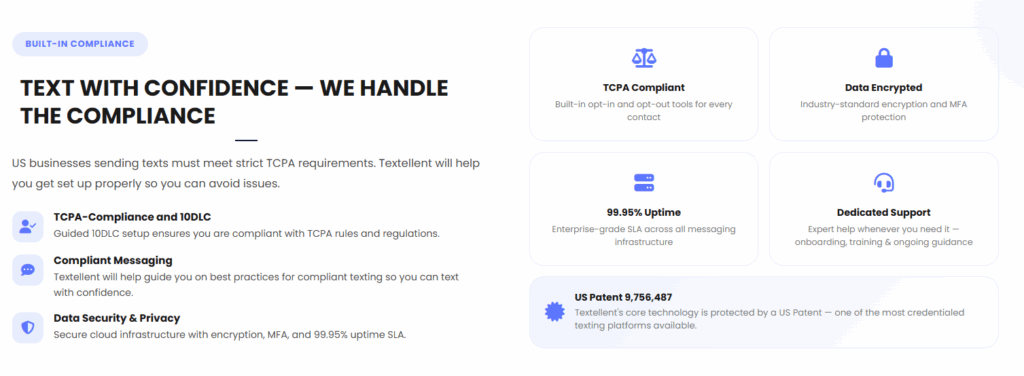
Textellent supports permission-based SMS and MMS campaigns with tools for opt-ins, opt-outs, contact records, and unsubscribe management. You can send promotional messages, visual MMS offers, reminders, and follow-ups with better control.
Choose SMS for Dependable Business Messaging and Try Textellent
SMS is still the one channel you can count on to reach every customer. It satisfies consumer expectations for fast, reliable communication.
With Textellent, you get the consistency of texting plus the tools to run campaigns that help your business grow. You can send reminders, promotions, and follow-ups that reach customers right away.
It also allows you to text from your business number, build contact lists through integrations, and automate touchpoints without piling on extra work.
Until RCS becomes universal, Textellent makes sure your messages always land. Build stronger customer connections, keep schedules on track, and generate more revenue through SMS.
Sign up for a free trial or request a demo consultation with Textellent today!
FAQs About RCS Messaging
Should I have RCS on or off?
Turning RCS on can give you features like read receipts, typing indicators, and richer media. Some apps require you to turn RCS chats on in the settings.
However, it only works when both you and the person you’re messaging have compatible devices and carriers.
If you want consistency, leaving it off means your phone will default to SMS or MMS, which always delivers regardless of device or network.
What is the difference between SMS and RCS?
SMS is the traditional text system that works on every phone and carrier without needing the internet. RCS is newer and adds features like sharing files, business identity display, and interactive features.
The trade-off is that RCS relies on internet access, such as Wi-Fi or mobile data, and doesn’t work everywhere yet. Meanwhile, SMS is universal and dependable.
Why do my text messages say RCS?
This happens because your phone is using RCS instead of regular SMS for that conversation. RCS works when both phones, the messaging app, the carrier, and the settings support it.
But Samsung now points users to the Google Messages app for RCS support as Samsung Messages is being phased out.
Why would someone use RCS messaging?
People use RCS for extras like high-resolution images, better group messaging functions, and tools such as end-to-end encryption for personal chats. You may test it to enjoy features like branded profiles or quick-action buttons.
That said, many still rely on SMS/MMS because it works for every customer without exception, which makes it the safer choice for time-sensitive or large-scale communication.

Get Started with Business Texting
Simple to launch, built to scale. Try Textellent FREE for 14 Days
Start Free Trial