
Sent as SMS: Meaning Behind the Delivery Switch
If your message shows “sent as SMS” instead of “delivered,” it does not mean the message failed.
It means your phone delivered the text using standard carrier SMS instead of internet-based messaging like iMessage or RCS.
Several reasons can cause this to happen, including internet issues, device compatibility, or messaging settings.
When chat features cannot be used, the system switches to your mobile carrier so the message can still be successfully delivered.
In this article, we’ll explain the meaning of “sent as SMS” in more depth, why the delivery switch occurs, and how server-based messaging works in business marketing.
Summary
- “Sent as SMS” means your message was routed through standard carrier SMS instead of internet-based messaging.
- On iPhone, this happens when iMessage cannot use an internet connection or the recipient is unavailable, causing the message bubble to turn green and send via your carrier.
- On Android, the delivery status appears when RCS chat fails due to connectivity issues, disabled settings, or compatibility limits, triggering automatic fallback.
What Does “Sent as SMS” Mean?
“Sent as SMS” means your message uses the standard text messaging route instead of a data-based service like iMessage, Rich Communication Services (RCS), WhatsApp, or Facebook Messenger.
SMS stands for short message service, and it’s the basic texting format supported by most phones and cellular networks.
Many devices try to send messages through newer chat features first. iPhones use iMessage between Apple devices, while many Android phones use RCS when the feature is available.
SMS vs iMessage vs Rich Communication Services (RCS)
SMS, iMessage, and RCS all send texts, but the message route changes depending on the service. Here’s a quick comparison:
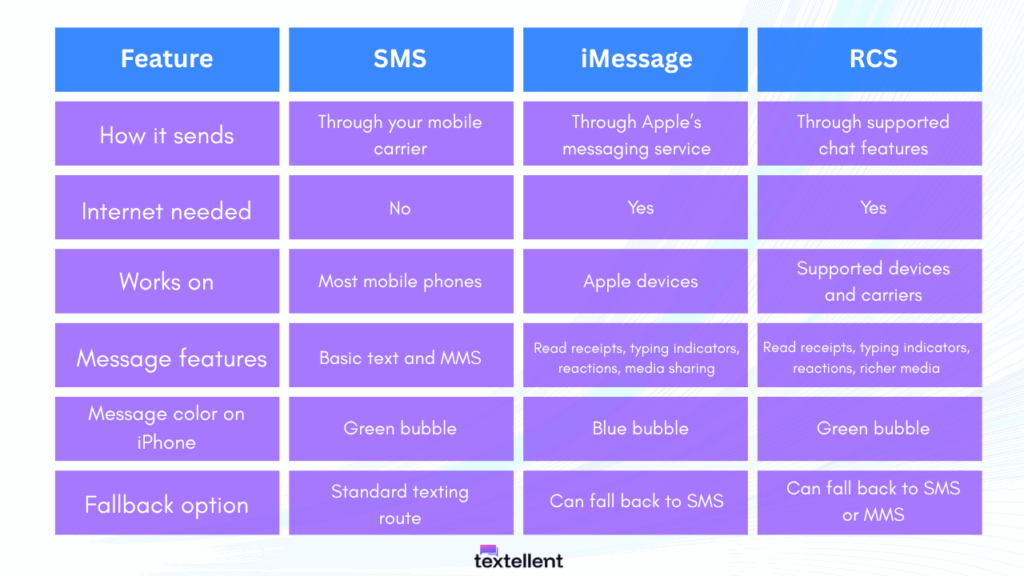
These newer options can include advanced features and better support for media. The catch is that both people need a compatible device, active settings, and a working internet connection.
If those conditions are not met, the message can fall back to SMS. This allows the recipient to receive messages through their regular text inbox.
What “Sent as SMS” Means on iPhone
When an Apple device shows “sent as SMS,” it means the message was sent through standard texting. This older method travels through your mobile carrier network instead of the internet.
This switch happens when the recipient’s device is offline, turned off, out of signal range, not connected to the internet, or using a non-iOS device that cannot receive iMessages at all.
It can also happen if something in your iMessage settings prevents the message from using the data route. This affects how the other person will receive SMS messages from you.
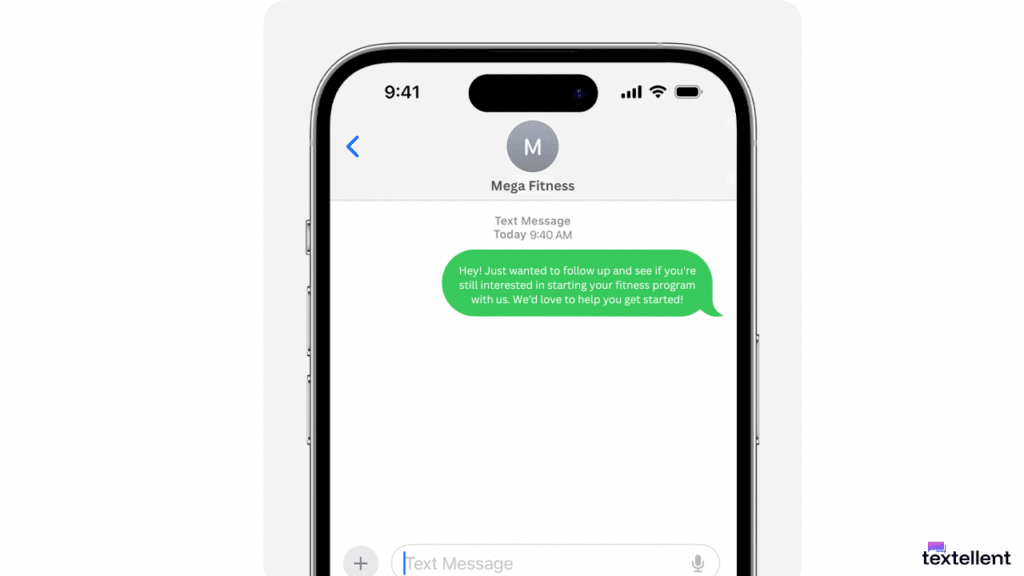
In these cases, the iPhone sends the text through the carrier’s SMS route so the message still goes out.
When this happens, it turns into green bubble messages instead of blue. It shows that the phone used the SMS inbox path rather than the iMessage network with features like read receipts.
What “Sent as SMS” Means on Android
On Android, this message appears when the phone cannot use the RCS protocol.
Android tries RCS chat first because it supports typing indicators, longer messages, and enhanced media features that go beyond regular texts.
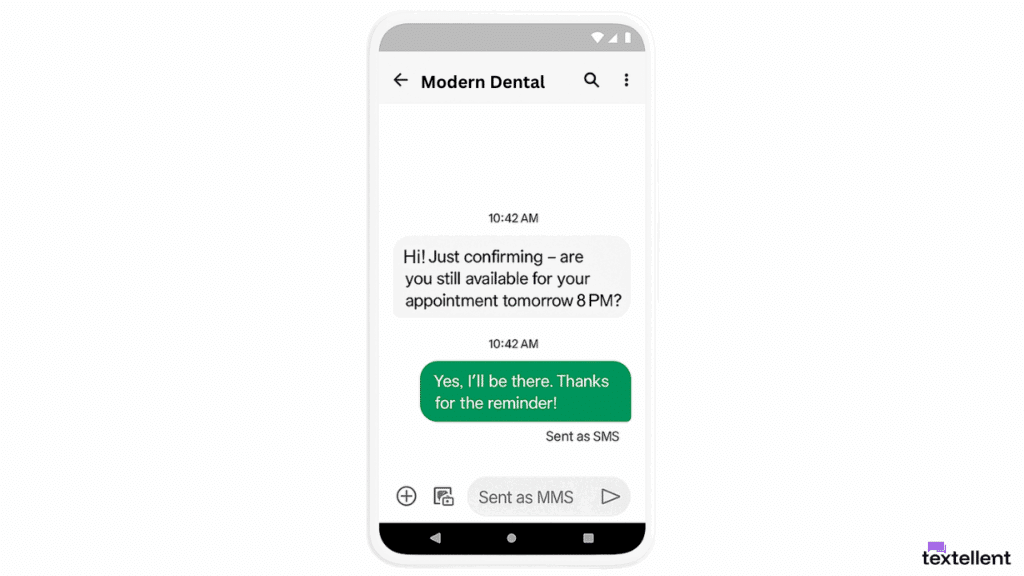
But if the Android user’s phone does not support RCS, or if the signal is weak due to network issues, the phone falls back to SMS.
This can happen when the other phone has older software, a different messaging app, or a service gap caused by the wireless carrier that blocks the data route.
It can also happen when an Android user has RCS turned off, or when a poor internet connection keeps the chat feature from sending the message.
How to Manage SMS Fallback on Your Phone
You can reduce unwanted SMS fallback by checking your message settings, internet connection, and chat features. Here’s how it works for each device:
On iPhone
First, open the Settings app, tap Messages, and make sure iMessage is turned on. iMessage works between Apple devices through Wi-Fi or cellular data.
You can also check the Send as SMS setting. If it is turned on, your iPhone can send a message as SMS when iMessage is not available.
Before sending another message, check your Wi-Fi connection or cellular data. If your iPhone cannot use iMessage, it may send the message through SMS instead.
On Android
Open your messaging app and check your RCS chat settings. In Google Messages, RCS chats can send messages over Wi-Fi and include features like read receipts, typing indicators, and improved media support.
You have to make sure mobile data or Wi-Fi is active before sending messages with media or longer text.
If RCS is not available, turned off, or not supported by the recipient’s device or carrier, Android may send the message as SMS or MMS instead.
You can also ask the recipient to confirm their own message settings. If their phone does not support RCS or their chat features are off, your message may still be sent as SMS.
High-Volume Texting Calls for a Purpose-Built Messaging Platform
Device settings can help control when personal messages switch to SMS.
But when you’re texting for business marketing, message routing, reply tracking, opt-outs, and campaign visibility need more structure.
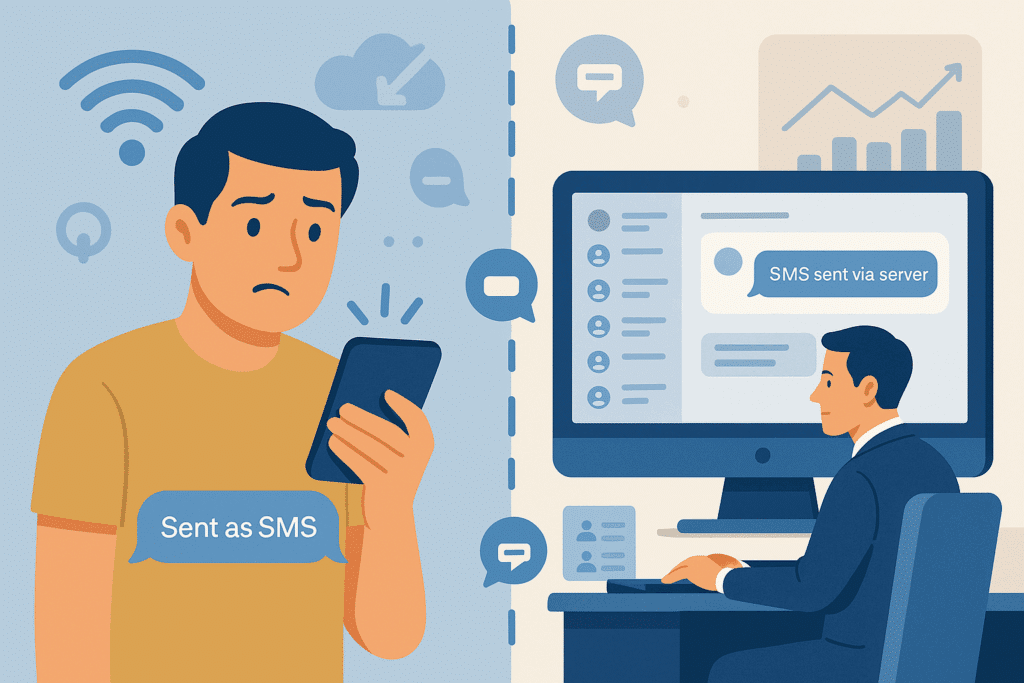
Instead of using a mobile phone to send one message at a time, you can manage your communication through an SMS business solution. It delivers messages to your entire list, even when some contacts still use regular SMS.
Here’s why sending SMS via a server is the better choice for your business:
- You can send texts to thousands of customers without relying on separate phones or individual message threads.
- Your team can track and review SMS delivery reports from one organized place.
- You can manage SMS marketing campaigns, send automatic text reminders, and personalize messages without switching between different devices.
- You can automate follow-ups, filter contacts, and manage SMS compliance without technical skills or software installs.
Textellent helps you send messages through a dedicated SMS server infrastructure, which allows you to reach large contact lists without encountering device issues.
It also keeps all text messages organized, searchable, and accessible, with added features like intelligent SMS scheduling, delivery tracking, and complete message logs.
Switch From Phone-Based Texting to Better SMS Delivery With Textellent
If you’ve been relying on mobile phones to run your communication, shifting to a server-backed system gives you the consistency and tools you need to scale.
Server-based messaging offers a more dependable way to connect with your audience without relying on individual devices or inconsistent mobile data access.
Textellent makes server message delivery simple and accessible for growing businesses. Instead of sending one message at a time, you can create campaigns, schedule SMS texts, manage opt-outs, and analyze campaign performance from one dashboard.
The messaging platform’s web dashboard allows for full campaign control, and its mobile tools support on-the-go replies, contact management, and notifications. It’s easier for your staff to stay engaged with customers without being tied to a physical office or a specific device.
With a more reliable setup, you can manage high-volume texting without depending on individual phones or scattered message threads.
Sign up for a free trial or book a demo with Textellent today!
FAQs About Sent as SMS Meaning
Does “sent as SMS” mean I’m blocked?
No, SMS via server message does not mean you’ve been blocked. It only refers to how the message was routed, not whether it was accepted or rejected by the recipient.
When your Google Messages or default app on Android phones cannot send a message as RCS messages, it falls back to SMS server messaging or standard SMS routing.
The difference is in the delivery method, not in the recipient’s actions. All this means is that the system used traditional texts instead of advanced chat features.
Does “sent as SMS” mean their phone is off?
Not necessarily. It can mean the recipient’s phone is off, out of signal range, or not connected to the internet. It can also mean their device does not support RCS or that data-based messaging was temporarily unavailable.
Does “sent as SMS” mean it’s been delivered?
The sender may see a different status depending on the phone, app, carrier, and recipient’s device. Some phones show delivery updates, while others only show that the message left your device.
Why are my messages being sent as SMS?
Common reasons include the recipient isn’t using RCS, or there’s no active internet connection via Wi-Fi or cellular internet.
If the iPhone user on the other end is offline or the system is temporarily unavailable, the phone switches from data-based instant messaging to standard SMS delivery.
In some cases, a server notification may appear depending on the app you use.
When that happens, your phone falls back to SMS unless you’ve turned off SMS fallback for tighter control. This message can also appear due to a temporary bug, device settings, or app issues, especially on Android phones using Google Messages.

Get Started with Business Texting
Simple to launch, built to scale. Try Textellent FREE for 14 Days
Start Free Trial