


Streamline Your Microsoft Outlook Calendar With Textellent

Automate appointment reminders, confirmations, and follow-ups directly from your Microsoft Outlook Calendar, streamlining scheduling workflows across teams.

Making Outlook Calendar Work Better for You

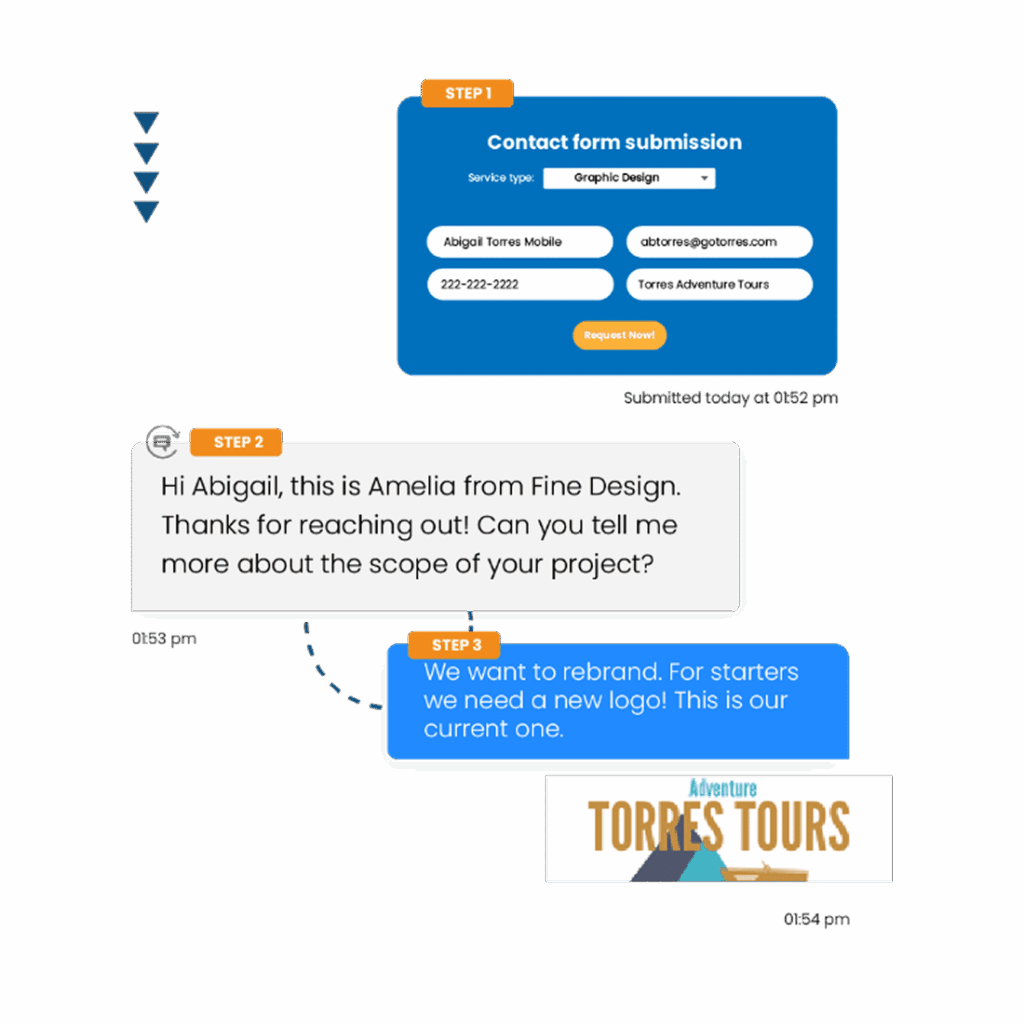
Textellent connects Outlook Calendar with powerful business texting, so you can automate appointment reminders, confirmations, and follow-ups by SMS.

Send Appointment Reminders via Calendar

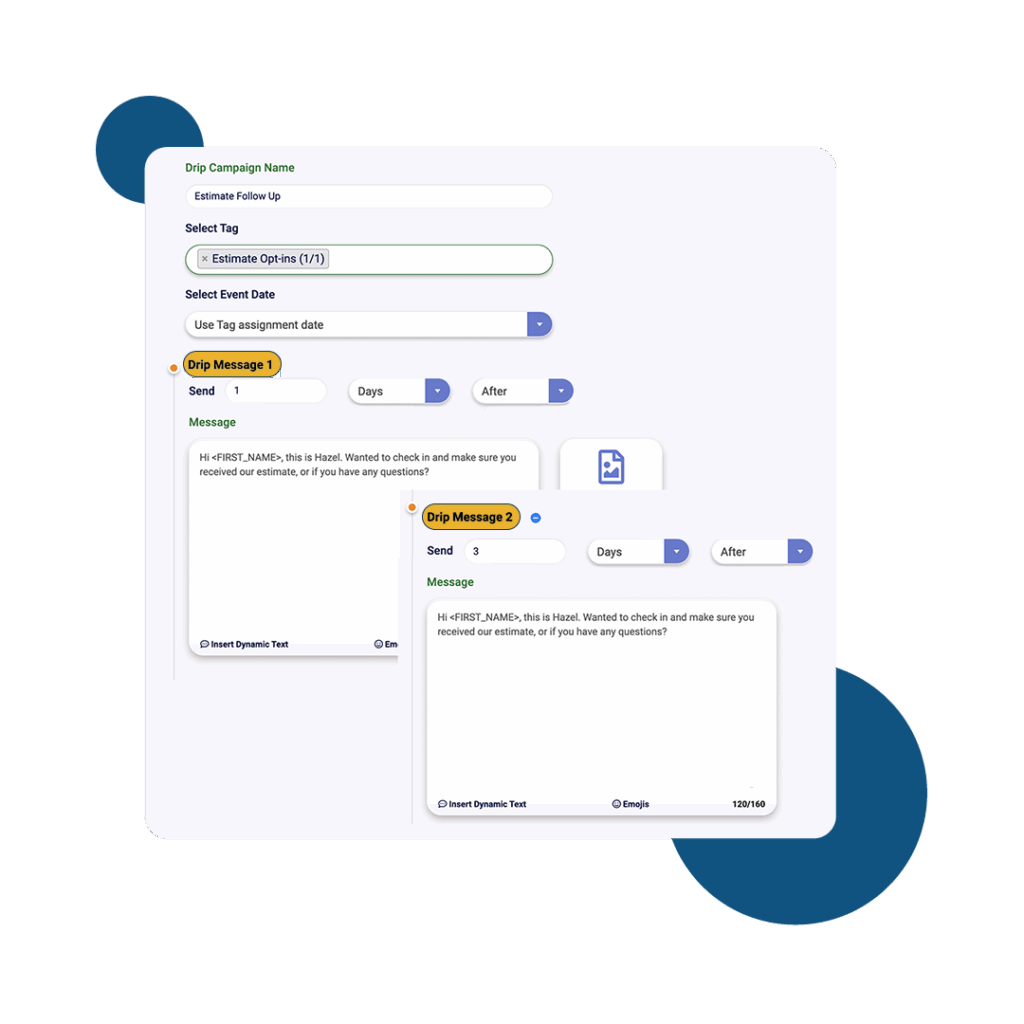
Send automated text reminders for appointments scheduled in your Microsoft Outlook Calendar, helping reduce no-shows and keeping clients informed through Textellent.

98%

of texts are read immediately

70%

of consumers want to text businesses

40%

of consumers said they have tried to text a business

Automate Follow-Ups from Calendar

Automate follow-ups for appointments scheduled in your Microsoft Outlook Calendar, so clients receive timely updates and next steps through Textellent.

From our Blog

Latest Insights

Platform Capabilities

Everything You Need to Text at Scale

A complete business texting platform — not just another messaging app.

Textellent Messenger

The Textellent Messenger is a Chrome extension that lets your team text inside the apps you already use—no code, no tab-switching. View full conversation history, reuse approved templates and media, and keep replies organized in a shared inbox.

Learn more

Integrate SMS

Textellent integrates with 800+ apps—CRMs, schedulers, forms, and payment platforms—so data flows in and texts go out at the perfect moment. Map fields once, tag contacts consistently, and keep systems in sync.

Learn more

Automations

Turn common events into automatic SMS touchpoints: new leads, appointments, payments, status changes, and more. Build simple, rules-based flows that send the right text and follow-ups without manual work.

Learn more

Franchisor Module

The Franchisor Module gives franchisors clear visibility across locations while empowering franchisees to execute consistent, on-brand texting that drives growth. Scale what works and spot where support is needed—fast.

Learn more

AI Rewriter & Translate

Instantly polish your texts and translate them into different languages, making communication faster and more accessible.

Learn more

Mobile App

Keep conversations moving on the go. The Textellent Mobile app brings your shared inbox to iOS & Android with real-time push notifications, quick-reply templates and media, conversation assignment, and full sync to your CRM—so nothing slips through when you're away from your desk.

Learn more

Get Started with Business Texting

FAQs About Microsoft Outlook Calendar Integration

How do calendar changes sync with Textellent after integration?
Calendar changes in Microsoft Outlook sync automatically with Textellent, updating appointments and reminders in real time after integration.
Can I customize SMS templates for different calendar events? +
Microsoft Outlook Calendar does not offer built-in SMS template customization for different calendar events. SMS features require third-party integrations.
How do recurring Outlook events interact with Textellent messaging? +
Recurring Outlook Calendar events can trigger automated Textellent messages for each occurrence, supporting reminders and confirmations as scheduled.
Can I pause Textellent messages for specific Outlook events? +
Textellent does not natively pause messages based on specific Outlook Calendar events. Manual adjustments to messaging schedules are required.