
Smishing Meaning: How to Stay Safe From SMS Scams
People use their mobile devices for almost everything, from checking bank alerts to booking appointments — which makes a fake message harder to spot when it looks like it came from a brand they already know. Here’s what smishing means, how to recognize it, and how businesses can keep their texts trustworthy.
As smishing scams become more common, legitimate organizations also face a bigger trust challenge. Customers question real messages if they come from unfamiliar numbers or include links that are hard to verify.
In this article, we’ll explain the meaning of smishing, common types of phishing scams, and how to spot risky texts. You’ll also find out what to do if you receive one and how businesses can send safer messages with trusted SMS marketing platforms.
- Smishing works by using fake alerts, urgent wording, or familiar brand names to trick recipients into providing personal information. Common smishing scams include fake bank alerts, delivery updates, tax notices, prize claims, and work-related messages.
- Warning signs for smishing include urgent wording, unknown senders, suspicious links, requests for private information, offers that sound too good to be true, and odd wording.
- If you receive a suspicious text, avoid tapping links, verify through an official channel, block and report the sender, and delete the message.
- Businesses can make SMS safer by using a trusted platform, employee training, consent-based messaging, consistent sender identity, clear opt-outs, trusted links, message records, and educating customers on smishing attacks.
- Textellent helps you send safer SMS campaigns with consent-based messaging, automation, reporting, and secure tools that make texts easier for customers to trust.
What Does Smishing Mean?
Smishing refers to phishing through text. It’s a social engineering tactic where scammers send deceptive text messages that look like alerts from banks, delivery services, stores, or public agencies.
Many people trust short message service (SMS) messages more than email. A text is personal and urgent — that’s why scammers take advantage of that trust.
Smishing attacks rely on tricking users into clicking a link to gain access to their personal or financial information, such as passwords, one-time codes, banking details, or account numbers.
Send SMS Customers Can Trust
See how Textellent’s consent-based messaging, compliance monitoring, and secure tools keep your texts recognizable and scam-proof.
Get a DemoTypes of Smishing Scams
Scammers want you to trust the message long enough to share private details, send money, or tap a malicious link. Here are the common smishing attacks you should watch for.
Fake Bank or Payment Alerts
Fake bank or payment alerts are among the most common phishing attacks. According to the Federal Trade Commission (FTC), consumers reported $470 million in losses from scams that started with text messages in 2024.
These texts may claim your card was blocked, your payment failed, or your bank account showed suspicious activity. The message tries to create pressure, so you respond before checking whether the alert is real.
Fake Delivery or Shipping Updates
Package scams pretend to come from well-known carriers, such as FedEx, UPS, or USPS. The message may say there is a delivery problem, a missing address detail, an unpaid shipping fee, or a package hold that needs your attention.
These scams can look believable because many people expect order updates through text. The risk starts when the message asks you to verify account details or open a tracking page.
Fake Government or Tax Messages
A government or tax scam often poses as a government agency such as the IRS, a state tax office, or a benefits department. The message may claim a victim owes a fine, needs to settle a tax issue, qualifies for a refund, or must act to claim a government benefit.
These texts sound serious because they use official-sounding language, agency names, and deadline-based warnings, aiming to make you worry enough to tap the message link, call a fake number, or share private details before checking the source.
Fake Prize or Gift Card Claims
Fake prize or gift card texts use trusted brand names to get your attention. Some messages may claim to come from customer support and say there is an issue with your account. Others may say you have unclaimed rewards, prize money, or a gift waiting.
These messages will ask you to confirm account details, sign in through a link, or pay a small fee before you can claim the reward — which can lead to credential theft, payment fraud, or stolen personal details.
Fake Business or Work Messages
Some scam texts pretend to come from a boss, coworker, HR staff member, or vendor. The message may ask for urgent assistance with a payment, gift card purchase, payroll change, invoice update, or account request.
These scams sound convincing because they copy normal workplace pressure. A short message from a “boss” asking for fast action will make you respond before checking whether the request is real.
Common Signs of Smishing Attacks
Most smishing attacks are hard to spot because scam texts look like legitimate alerts from banks, delivery services, stores, or apps. Here’s how to detect phishing before a text message scam steals sensitive information, money, or login credentials.
Creates a Sense of Urgency
A common warning sign is pressure. The smishing message may say your account will close, your payment failed, your package is on hold, or your access will expire soon. Scammers use urgent wording because they want you to act before you think.
Sender Looks Unfamiliar
A risky text may come from an unknown number, a malicious code, or a sender name that looks slightly off. Some scammers also use a spoofed number to make the message look more trusted on cell phones.
Link Looks Suspicious
Suspicious links are one of the biggest signs of SMS phishing. Watch for misspelled brand names, random letters, suspicious numbers, or shortened URLs that hide the real destination.
Requests Private Information
You have to be cautious if a text asks for passwords, PINs, one-time codes, banking information, or payment information. Real companies should not ask you to share that kind of information through a surprise text.
Offer Sounds Too Good to Be True
Some SMS phishing texts promise prize money, gift cards, refunds, or free products. The catch often comes after you tap a link, enter your credit card number, or pay a small fee.
Pro Tip: Polished writing does not mean a message is safe. Modern scam texts can look professional, so you should check the sender, link, and request — not just the wording.
How to Handle a Suspicious Text
A safer response starts with a pause. Here are the steps for safely handling a suspicious text.
Do Not Tap the Link
Avoid tapping links from texts you were not expecting. A scam link can send you to a fake website that asks for passwords, payment details, or other private information.
Do Not Reply to the Message
Do not answer the text, even if it says to reply “STOP.” A response can tell scammers that your number is active. Only use “STOP” with brands or services you already know and trust — for unknown senders, it’s safer to block and report the message.
Verify Through a Trusted Source
Visit the company’s app or use the phone number listed on their official website — not the link or phone number inside the suspicious text. For banking concerns, call the number printed on the back of your card. For deliveries, check the tracking page from your original order.
Block and Report the Sender
After reporting the message, block the sender to reduce repeat texts from that number. Keep in mind that scammers can switch numbers — blocking is useful, but reporting gives carriers and authorities more information.
Report the Text
You may report suspicious texts through your messaging app, mobile carrier, or the FTC. You can also forward the text to 7726, which spells SPAM. If the message caused financial loss or account access issues, file a report with the FBI’s Internet Crime Complaint Center. After reporting, delete the message so you don’t tap it later by accident.
What to Do if You Clicked an SMS Phishing Link
If you clicked a suspicious text link, do not panic. A click alone does not always mean your information was stolen. However, you should act fast if you entered details, downloaded malware, or signed in on the page.
Close the Page Right Away
Close the page as soon as you realize the link may be unsafe. Do not enter your name, password, card details, one-time code, or account information. Exit the page completely and avoid opening the same link again.
Change Any Password You Entered
If you typed a password into the page, change it from the official website or app. Start with your email, banking, payment apps, and work accounts — these often connect to more personal and sensitive data.
Turn On Multi-Factor Authentication
Multi-factor authentication (MFA) adds security to the sign-in step. Even if someone steals your password, they still need another form of verification before they can get in. Use an authenticator app, passkey, or security key when possible.
Contact Your Bank or Card Provider
If you entered payment details, contact your bank or card provider right away. Ask them to review recent transactions and block any suspicious activity. Save screenshots or records if you need to file a fraud report.
Scan the Device for Security Issues
Run a security scan if you downloaded anything or if your phone starts acting strange. Warning signs can include pop-ups, unknown apps, slow performance, or new permission requests. Update your phone and apps after the scan.
Watch for follow-up scams: After you click a link, you may still receive more scam texts, emails, or calls from people posing as fraud support or account verification teams. Don’t trust new messages about the same issue — verify through the official app, website, or support number instead.
How Businesses Can Make Text Messages Safer and Trustworthy
Smishing has made customers more cautious about the texts they receive from businesses. A real message can still raise concern if it comes from an unfamiliar number, includes an unexpected URL, or uses language that sounds too urgent.
Here’s a safer approach for businesses to make sure every message is recognizable, permission-based, and simple to confirm.
1. Use a Trusted Texting Platform
A text marketing platform like Textellent provides you with a safer, more organized way to manage customer conversations. It also reduces the confusion that scammers often exploit in smishing attempts.
Trustworthy SMS starts with permission, context, and control. Textellent stands out because it supports consent-based messaging, opt-out management, automation, personalization, campaign tracking, and organized customer records.
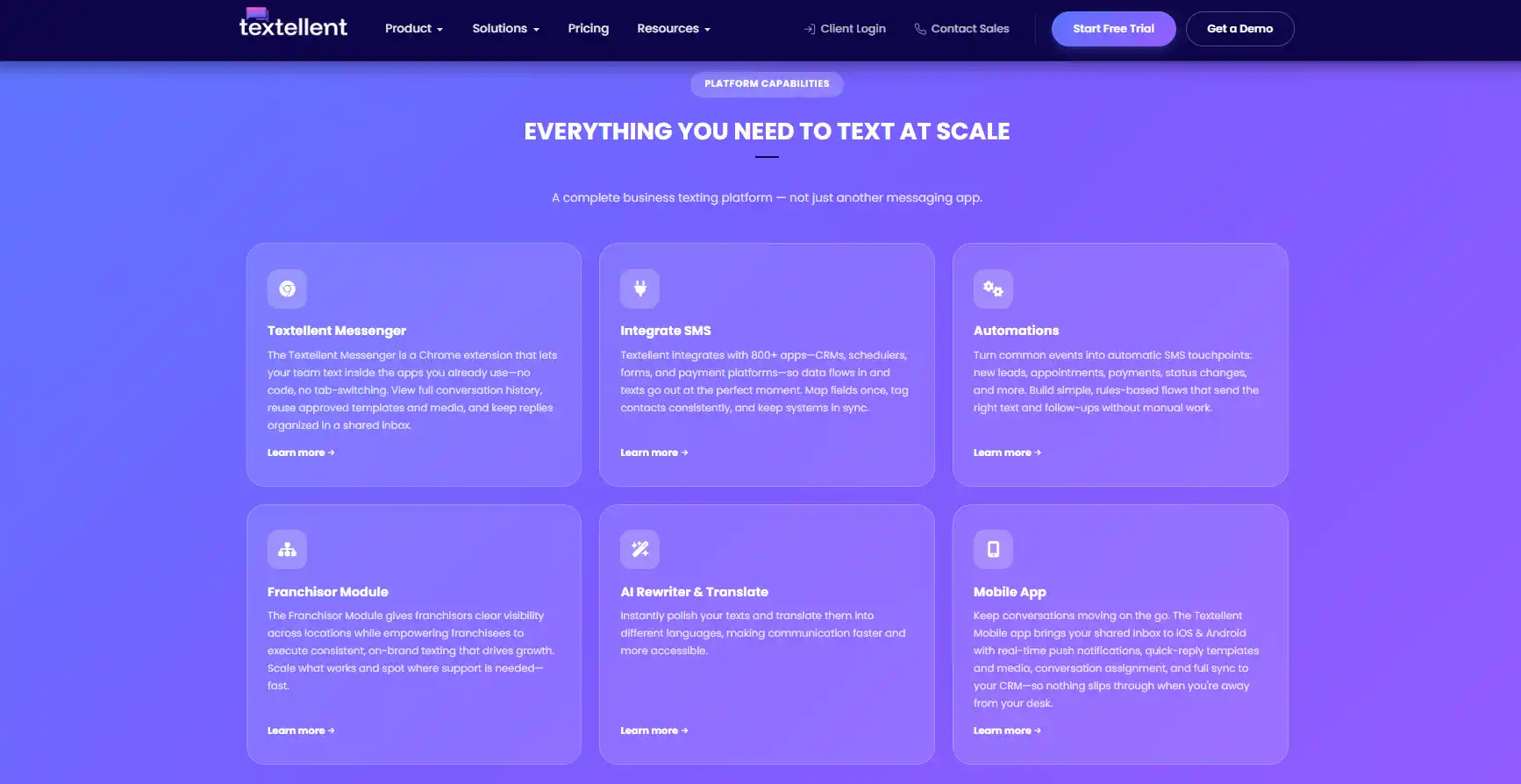
You can also use Textellent for appointment reminders, promotional messages, review requests, payment reminders, and customer service updates with a consistent process.
That steady approach separates legitimate business texts from suspicious ones. Customers are less likely to question a message when it matches the communication they expect from a brand.
2. Train Employees to Recognize Smishing Risks
Security awareness training can strengthen a business’s defense against smishing. Employees should know how to spot warning signs such as unusual phone numbers, unexpected URLs, urgent payment requests, and messages that ask for private data.
Training should also show employees what risky messages look like in real work situations — fake payroll updates, vendor payment requests, HR notices, delivery alerts, or manager impersonation texts.
3. Send Consent-Based SMS Messages
Customers should know why they are receiving a message from a business. Consent-based SMS creates that connection because customers have already agreed to receive texts — and when customers expect your texts, they’re more likely to recognize them and less likely to mistake them for a scam.
4. Keep Sender Identity Consistent
Customers trust business texts more when the sender looks familiar. A consistent number, a specific brand name, and a recognizable message style can make each text easier to verify. Avoid switching numbers often or sending messages with no brand context.
5. Avoid Suspicious-Looking Links
Links are one of the biggest reasons customers become wary of business texts. Use branded links and simple wording around every call to action, and explain why the link is included and what the customer can expect after opening it. For sensitive actions, guide customers to a secure account page instead of pushing them to click links.
6. Use Clear Opt-Out Instructions
Legitimate SMS programs should give customers an easy way to stop receiving texts. SMS opt-out instructions show respect for customer choice and support SMS compliance, which builds trust and makes business texting more transparent.
7. Keep Message Records
Message records are useful for compliance, customer support, and dispute review. They show what was sent, when it was sent, and who received it — and help teams spot problems faster if customers report confusion about a campaign.
8. Educate Customers on Real vs. Fake Text Messages
You can help customers stay safe by explaining what real texts look like. A simple security page can show customers how to verify messages and report anything suspicious, which supports customer safety and brand trust.
How Textellent Helps You Send Safer SMS Campaigns
Textellent lets you send SMS campaigns with more control, structure, and consistency. Customers get a better experience while reducing confusion around real business texts.
Centralized SMS Campaign Management
Manage campaigns, contacts, and customer replies in one controlled platform. Organized SMS sending can reduce inconsistent messages that customers may mistake for smishing. For larger teams, Textellent also includes a corporate HQ module for publishing approved text campaign templates across branch offices.
Track Campaigns, Compliance, and Results
Safer SMS campaigns need visibility. Textellent dashboards show campaign activity, compliance, and results at both company-wide and local levels. As the industry’s first comprehensive, AI-based solution, Textellent’s Always-On Compliance Monitoring continuously analyzes system-wide messaging in real time to detect anomalies and problematic messages before they trigger fines or suspensions. If a risk is detected, the system instantly sandboxes the account and alerts Textellent’s compliance team to connect with the client for swift resolution.
Automated Messages With Context
Textellent helps you create automated sequences for lead nurturing, appointment reminders, post-sale onboarding, review requests, promotions, and payment reminders — triggered based on customer actions, so outreach is connected to the customer journey.
Customer Segmentation for Relevant Texts
SMS segmentation lets you send messages that match the customer’s relationship with the brand. Textellent can organize contacts into groups so you can send more relevant campaigns — customers are less wary when group texts match what they expect from your business.
Opt-In and Opt-Out Support
Textellent supports compliance-based opt-in programs with contextualized, system-generated responses that stay consistent across the organization. Built-in AI can also detect negative sentiment and automatically unsubscribe recipients, helping protect customer trust and brand reputation.
Personalization Without Risky Wording
Textellent supports customer-specific messages while keeping the tone professional and safe. You can personalize texts with relevant details, such as appointment times or service updates, without using language that looks like a scam.
Reporting and Message History
Textellent keeps customer conversations organized, so teams can review past SMS activity when questions come up — adding structure to business texting and supporting a more trustworthy communication process.
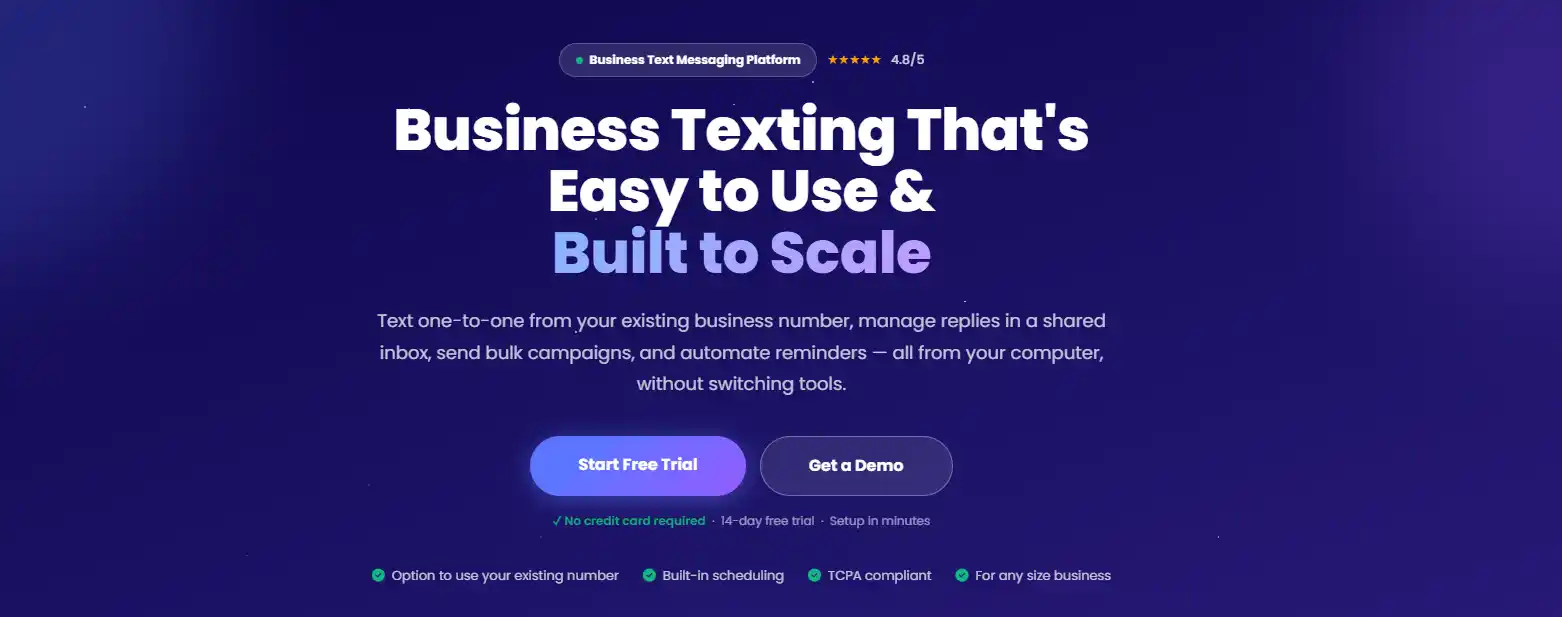
When people can easily recognize who is contacting them and why, they are more likely to engage with legitimate messages and avoid potential scams. Textellent helps businesses create SMS campaigns with improved security and control — managing consent-based texting, automating customer updates, handling opt-outs, and keeping message records without making texts look random or hard to verify.
Textellent also supports safer communication with enterprise security features such as industry-recommended key management, compliance monitoring, strength protocols, and multi-factor authentication to help combat phishing and ransomware risks.
FAQs About Smishing Meaning
What is smishing vs. phishing?
Phishing is a scam method that uses fake messages to steal sensitive information. Email phishing is the more traditional form, where fraudulent messages reach people through their email inboxes. Smishing uses the same kind of deception, but reaches people through text messages on mobile devices.
What are common signs of a smishing message?
Common signs include urgent wording, unknown senders, suspicious links, and requests for private details. The message may claim your account is locked, delivery failed, or that you owe a fee. A smishing message may also use a spoofed number or shortened URLs — if a text feels unexpected, verify it through the official website or app before taking action.
What happens if you click on a smishing text?
A smishing text can lead you to a fake page that asks for login credentials, banking information, or credit card numbers. Some pages may also try to install malicious code on your device. If you opened an unsafe link, close it, avoid entering data, change any password you shared, check your accounts, and report the message.
How is smishing connected to vishing?
Smishing can lead to vishing (voice phishing) when a scam text asks you to call a number or wait for a follow-up call. In cloud environments, attackers may use vishing after an email or SMS lure to pressure help desks, IT admins, or finance teams into granting access or approving wire fraud.