
Instant Messaging: A Guide for Customer and Team Outreach
A slow reply can cost you a lead, delay a customer issue, or stall an internal task. That’s why instant messaging has become a key communication tool for modern businesses. Here’s what IM means, how it works, its key features, and how it compares with texting for efficient business communication.

Instant messaging (IM) helps you communicate faster with employees, customers, leads, and partners. It’s easier to share updates, ask quick questions, send files, and keep conversations moving in real time.
- Instant messaging is a real-time communication method for sending messages through apps, platforms, mobile devices, computers, or web browsers.
- Different types of instant messaging serve different needs, including personal, business, enterprise, customer support, and social media messaging.
- The main features of instant messaging include private chats, group conversations, file sharing, screen sharing, voice and video calling, read receipts, typing indicators, message history, channels, integrations, and automation.
- Instant messaging has its limits, and that includes the same app requirements, missed app notifications, internal team focus, fewer business controls, notification overload, and security risks.
- Textellent helps you expand customer and staff communication beyond IM with SMS campaigns, appointment reminders, alerts, follow-ups, and organized two-way texting.
What Is Instant Messaging?
Instant messaging is a form of real-time, online communication that allows people to send and receive messages from a mobile device, computer, or web browser.
IM makes collaboration easier as it supports quick back-and-forth discussions, project updates, and real-time decisions.
IM also facilitates asynchronous communication when users send delayed messages or reply later. Even with new messaging tools available, instant messaging remains a common way to manage fast digital conversations.
Reach People Beyond the App
See how Textellent’s SMS platform reaches customers and staff on the device they already check.
Get a DemoHow Does Instant Messaging Work?
Instant messaging works by sending messages through an internet-connected app or platform. Here are the basic steps:
1. You need to sign in to your preferred platform.
2. Type a message or add media, such as an image, link, file, video, emoji, or voice note.
3. The app sends the message through mobile data or an internet connection.
4. Your chosen instant messaging solution routes the message to the recipient’s account.
5. The recipient gets a notification and can reply inside the same app.
Most instant messaging tools require both users to have access to the same app or platform.
Types of Instant Messaging
Instant messaging can take many forms depending on who is using it, where the conversation happens, and what the message is meant to do. Below are the main types of instant messaging.
Personal Instant Messaging
Personal instant messaging is used for everyday conversations between friends, family members, classmates, and personal contacts. Major IM providers include WhatsApp, Facebook Messenger, iMessage, Telegram, Signal, WeChat, and Viber.
Business Instant Messaging
You can use instant messaging for work-related conversations between multiple clients, employees, departments, leads, or partners. Popular IM platforms for organizations include Slack, Microsoft Teams, Google Chat, and Zoom Team Chat.
Enterprise Instant Messaging
Enterprise instant messaging is built for larger organizations that need stronger control over users, data, and systems. These enterprise apps include single sign-on (SSO), admin dashboards, user permissions, audit logs, compliance settings, and integrations.
Customer Instant Messaging
Customer instant messaging allows businesses to communicate with customers through chat-based channels. This can include website chat, in-app chat, social media DMs, marketplace messages, and support chat tools.
Social Media Messaging
Social media messaging happens inside platforms like Facebook, Instagram, LinkedIn, TikTok, and X (Twitter). Businesses may use social messaging to answer questions, respond to comments, support customers, or continue conversations from social posts.
Main Features of Instant Messaging Apps
There are many instant messaging services on the market today. Each one fits a different purpose, from internal team messages to customer support chats. Here are the key features of instant messaging applications:
One-to-One Messaging
One-to-one messaging lets two people chat in a private conversation. Business users use it for quick internal questions, manager updates, customer replies, and sales follow-ups.
Group Messaging
Group messaging lets multiple people join the same group conversation. It’s useful for team updates, project discussions, event planning, and department communication.
Link and File Sharing
IM applications allow users to send files, images, screenshots, documents, videos, and links. This makes it easier to keep context inside the same conversation.
Screen Sharing
Teams can use screen sharing to review work during instant messaging conversations. It’s valuable for training, feedback, and troubleshooting.
Voice and Video Calling
Many IM apps now include voice calling for conversations. Some also include video conferencing features for quick check-ins, remote collaboration, and live support.
Read Receipts and Delivery Status
IM apps show whether a message was sent, delivered, seen, or read. These indicators help users understand whether the other person received the message.
Typing Indicators
Push notifications alert users when a new message arrives. These alerts can appear on phones, desktops, tablets, or browser windows.
Searchable Message History
Searchable history lets users find older messages, files, links, and decisions. This improves productivity when teams need to review past conversations or confirm what was discussed.
Channels, Threads, and Topics
Many IM tools use channels, rooms, or threads to organize conversations. Teams can create spaces for projects, departments, announcements, support, or leadership updates.
Integrations With Business Tools
IM apps connect with calendars, CRMs, project management tools, help desks, file storage systems, and workflow apps. These integrations can bring alerts and updates into one communication tool.
Automation and AI Messaging Features
IM platforms include automation, chatbots, smart replies, message summaries, routing, and AI-assisted search. These features can reduce manual work in busy communication workflows.
Limitations of Instant Messaging
Instant messaging is useful for quick conversations, but it is not always the best channel for business communication. These are the potential drawbacks of instant messaging that you should know:
Same App Requirement
Most instant messaging platforms require both users to be on the same app or system. Customers, staff, or external partners may not want to download another app, create another account, or check a platform they rarely use.
Missed App Notifications
Instant messaging depends on app notifications, and those alerts are easy to mute, ignore, or miss. If you need to send appointment reminders, status updates, or sales follow-ups, missed app notifications can slow the process.
Notifications can also compete with alerts from email, phone calls, video meetings, and other services employees use throughout the day.
Internal Team Focus
Platforms like Slack, MS Teams, and Google Chat are useful for workplace communication. Teams can discuss projects, share updates, and assign tasks inside shared channels.
However, these tools are not always built for customer communication. You still need another channel for reminders, alerts, confirmations, support updates, and external follow-ups.
Limited Business Controls
Consumer messaging apps can create problems when you use them for customer conversations. They lack shared inboxes, admin controls, approval workflows, message ownership, reporting, and opt-out management.
Some apps offer security features such as two-factor authentication and disappearing messages, but you still need to protect confidential information.
Notification Overload
Group chats, channels, mentions, reactions, and alerts can pile up throughout the day. Instant messaging also creates pressure for teams to answer as soon as notifications appear.
Too many alerts can also make it harder for employees to stay focused during deep work. Teams need communication rules and healthy response expectations.
Security Vulnerabilities
Instant messaging can create security risks when messages are not protected. Some IM connections may happen in plain text, which can expose messages to eavesdropping.
Older instant messaging software may also require open UDP ports. That can increase risk when businesses share customer data, internal records, or confidential information.
Pro Tip: Keep IM for internal, app-based conversations and use SMS for anything time-sensitive that needs to reach people outside the app — reminders, alerts, and confirmations included.
How SMS Strengthens Business Messaging
Texting makes business communication less dependent on shared app usage and more accessible through mobile phone numbers.
While an instant messenger works when people are inside the same app, SMS can reach customers, staff, and leads through the cell phones they already use.
SMS has an average open rate of 98%. Text messages are more likely to get noticed when you need to send SMS campaigns or high-priority updates.
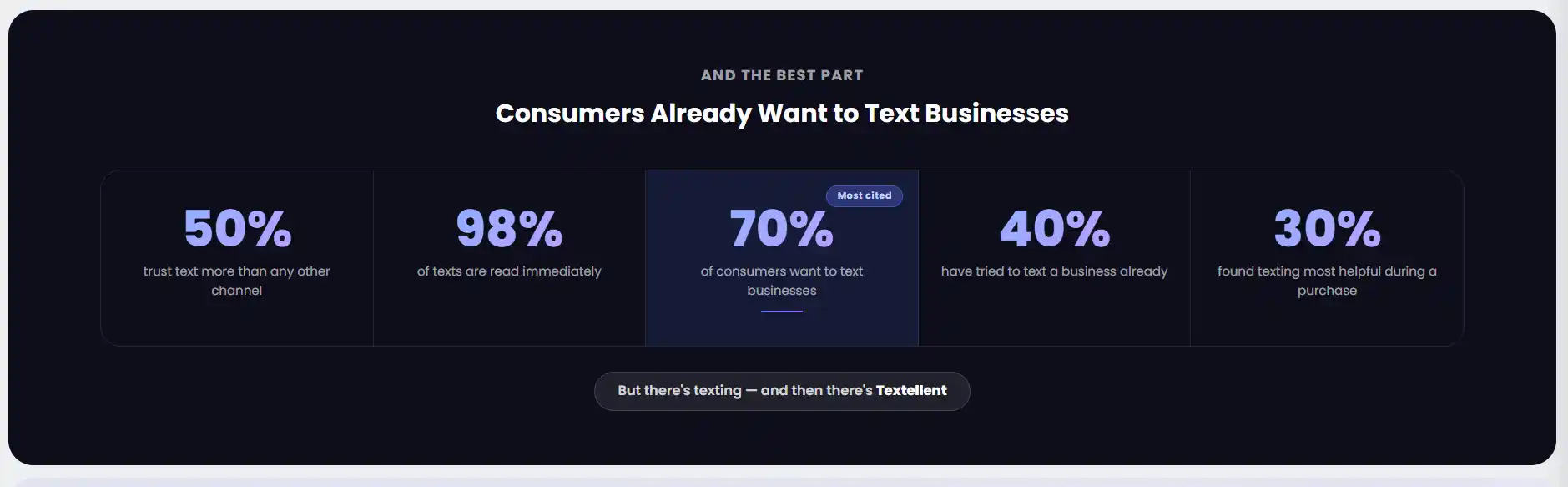
A text marketing platform like Textellent helps you turn SMS into a real communication engine.
You can use SMS to send appointment reminders, flash sale alerts, shift updates, company notices, recruiting messages, and service updates to your SMS contact list.
Sign up for a free trial or book a demo with Textellent today to stay connected and reach people with messages that drive action!
Should You Use Texting or Instant Messaging for Your Business?
Instant messaging is valuable when customers or team members are already active in the same app, such as a live chat window, support portal, or workplace chat tool.
Texting allows you to reach people even when they are outside those apps. Customers and staff don’t need to install another app, create a login, or monitor a separate platform just to read and reply.
That instant reach makes text-based communication useful for time-sensitive updates. You can send instant messages through a channel people already check throughout the day.
An SMS platform can support two-way texting, templates, automation, shared inboxes, reporting, and message history. It lets you manage conversations with customers and staff in a more organized way than personal phones or consumer apps.
Texting and instant messaging both have a place in business communication. The key is knowing when each one should be used.
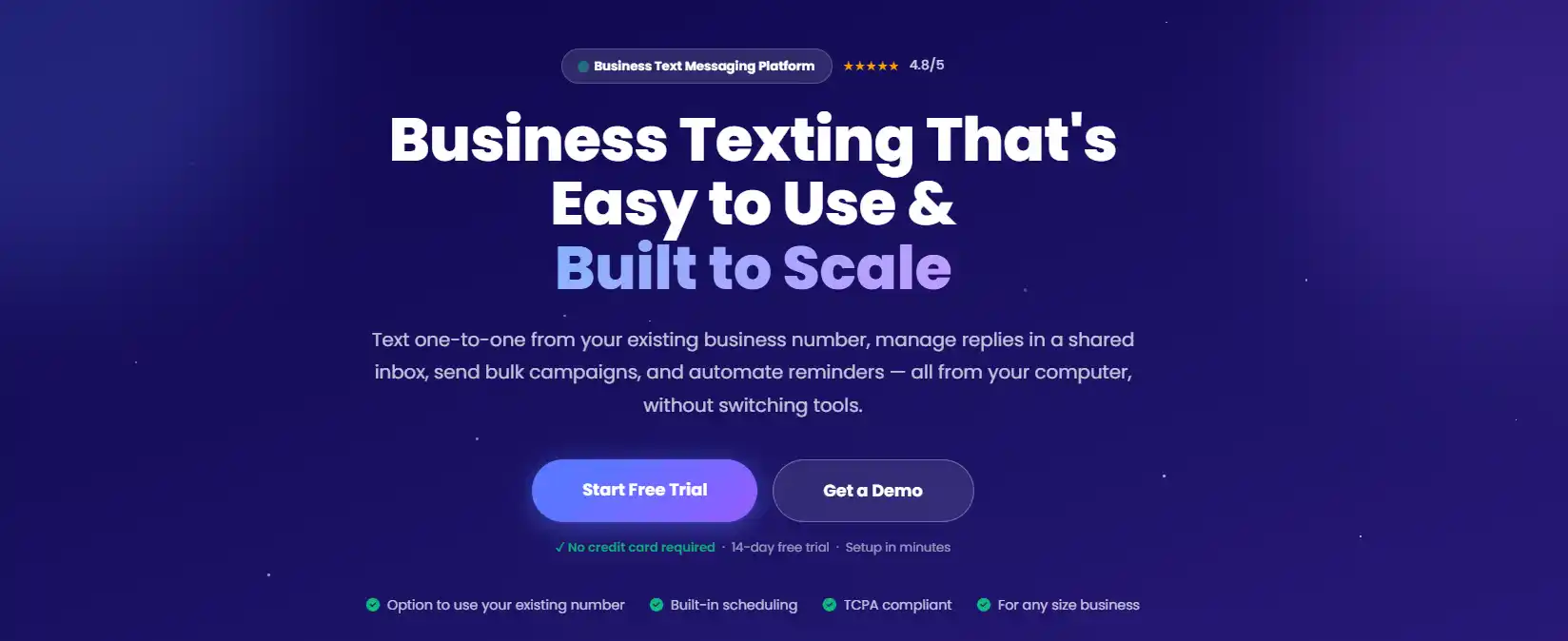
When communication needs action, you need more than another app notification. Textellent is a business communication platform built for faster outreach. With advanced automation, integrations, and campaign tools, you can manage real-time conversations without losing track of replies.
SMS also adds a personal touch as it reaches people on the device they use daily. Textellent lets you send tailored messages, reply in a conversational tone, and keep every conversation organized.
Sign up for a free trial or book a demo with Textellent today and see how texting can support better communication beyond instant messaging!
FAQs About Instant Messaging
What is the most popular instant messaging?
WhatsApp is widely reported as the most popular IM platform worldwide, with recent estimates placing it at over 3 billion monthly active users.
What is an example of instant messaging?
The best examples of instant messaging include WhatsApp, Messenger, Slack, Microsoft Teams, Google Chat, Telegram, Signal, and Discord. These platforms let users send real-time messages through an app or online system. Many also let teams share files and manage quick updates.
What is the difference between a text message and an instant message?
A text message is sent through SMS or MMS using a mobile phone number. An instant message is sent through an internet-based app. For businesses, instant messaging is ideal for app-based conversations and live support. Text messaging is better for global customer outreach and employee engagement.
Is instant messaging useful for workplace teams?
Yes. Instant messaging can improve company culture through quick updates, team recognition, and shared channels. Slack’s FY25 Q1 Customer Tracking Survey found that regular Slack AI users save 77 minutes per week, and that 87% of Slack customers report more effective team collaboration.
What is the history of instant messaging?
Instant messaging has changed a lot since its early days in the 1990s. Back then, AOL Instant Messenger was one of the few popular ways people could chat online. Early IM tools focused on simple text chats, buddy lists, and away messages, making online communication faster and more conversational than email.
Today, instant messaging offers far more features. Many platforms now include group chats, file sharing, voice messages, video chat calls, emojis, reactions, and app integrations.