

Streamline Your Microsoft Outlook Workflow With an SMS integration

Textellent integrates with Microsoft Outlook to streamline communication, automate reminders, and manage customer engagement directly from your inbox.

Making Outlook Work Smarter for Your Needs

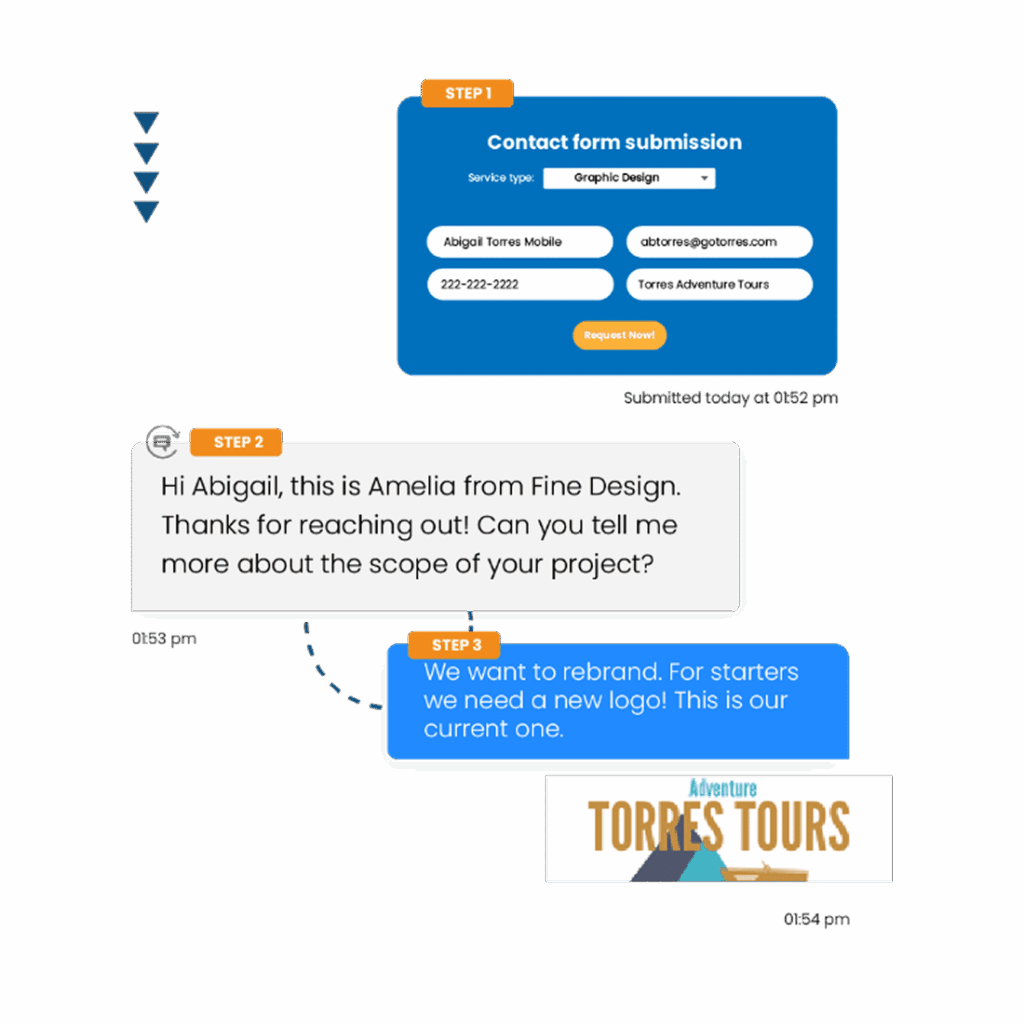
Easily connect Outlook with Textellent’s business texting platform to automate reminders, follow-ups, and customer engagement—all from your inbox.

Text Outlook Contacts for Reminders

Send reminder texts to your Microsoft Outlook contacts, helping you keep appointments and tasks on track with personalized communication through Textellent.

98%

of texts are read immediately

70%

of consumers want to text businesses

40%

of consumers said they have tried to text a business

Send Bulk SMS from Outlook Contacts

Send personalized bulk SMS to your Microsoft Outlook contacts with Textellent, helping you reach groups for updates, promotions, or event notifications using your existing contact list.

Everything You Need to Scale SMS

Read Our Blog

Woman reading an SMS on her phone

14 Promotional Message Examples to Capture Customers

Keeping in touch with customers is essential for any business looking to succeed. One of...

Read More
woman smiling and looking at her phone

Minimize Missed Appointments With an Appointment Reminder Text

No-shows and last-minute cancellations are major headaches for service-based businesses. Every missed appointment can mean...

Read More
woman texting

Text Message Marketing For Small Business: 5 Best...

One of small businesses’ biggest challenges is maintaining consistent and effective communication with their customers....

Read More

READ

OUR BLOG

ez texting vs simpletexting

EZ Texting vs SimpleTexting: Which Wins on Features?

Read our EZ Texting vs SimpleTexting review and find out how the two platforms compare. Discover what makes Textellent the superior option to both.
twilio vs clicksend

Twilio vs. ClickSend: Which Makes Business Messaging Easier?

In this SMS comparison article, we'll explore the key differences between Twilio vs ClickSend to help you find the best fit.
A person using their phone to leave customer review

6 Review Management Tips to Stay on Top of Customer Feedback

Explore our review management tips and learn how to stay on top of customer feedback. Discover how Textellent can help manage reviews via SMS.

Everything You Need to Text at Scale

  • Textellent Messenger

    The Textellent Messenger is a Chrome extension that lets your team text inside the apps you already use—no code, no tab-switching. View full conversation history, reuse approved templates and media, and keep replies organized in a shared inbox.

    Learn More >
  • Integrate SMS

    Textellent integrates with 800+ apps—CRMs, schedulers, forms, and payment platforms—so data flows in and texts go out at the perfect moment. Map fields once, tag contacts consistently, and keep systems in sync.

    Learn More >
  • Automations

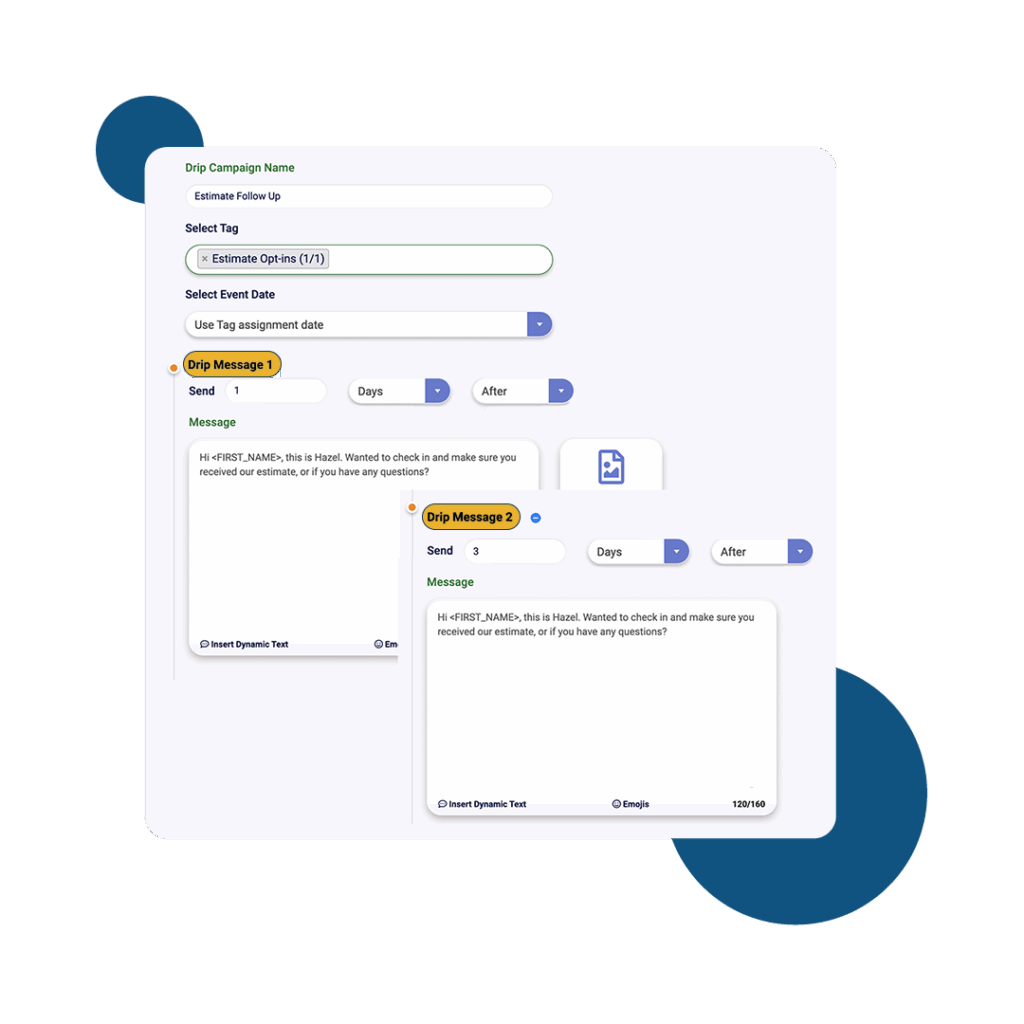
    Turn common events into automatic SMS touchpoints: new leads, appointments, payments, status changes, and more. Build simple, rules-based flows that send the right text and follow-ups without manual work.

    Learn More >
  • Franchisor Module

    The Franchisor Module gives franchisors clear visibility across locations while empowering franchisees to execute consistent, on-brand texting that drives growth. Scale what works and spot where support is needed—fast.

    Learn More >
  • AI Rewriter & Translate

    Instantly polish your texts and translate them into different languages, making communication faster and more accessible.

    Learn More >
  • Mobile App

    Keep conversations moving on the go. The Textellent Mobile app brings your shared inbox to iOS & Android with real-time push notifications, quick-reply templates and media, conversation assignment, and full sync to your CRM—so nothing slips through when you’re away from your desk.

    Learn More >

Get Started with Business Texting

FAQs About Microsoft Outlook Integration

How do I sync Outlook calendar events with Textellent?
To sync Outlook calendar events with Textellent, use Textellent's integration options or supported third-party tools to connect your Outlook account.
Can I update contact details in Outlook and Textellent? +
You can update contact details in Outlook directly, but updating them in Textellent must be done within the Textellent platform.
How do Outlook email replies appear in Textellent conversations? +
Outlook email replies do not appear in Textellent conversations because Textellent is dedicated to SMS messaging, not email integration.
Can I trigger Textellent automations from Outlook email actions? +
Textellent automations cannot be triggered directly from Outlook email actions. Integration requires supported connectors or third-party automation tools.