
2027 Tax Document Checklist for Accounting Firms and Their Clients
A good tax document checklist does two things at once: it helps clients understand what to gather, and it helps your firm see what still needs a response. That matters even when the eventual answer is “not applicable.” A clear response can be as valuable as an upload when it prevents another follow-up call.
 MG
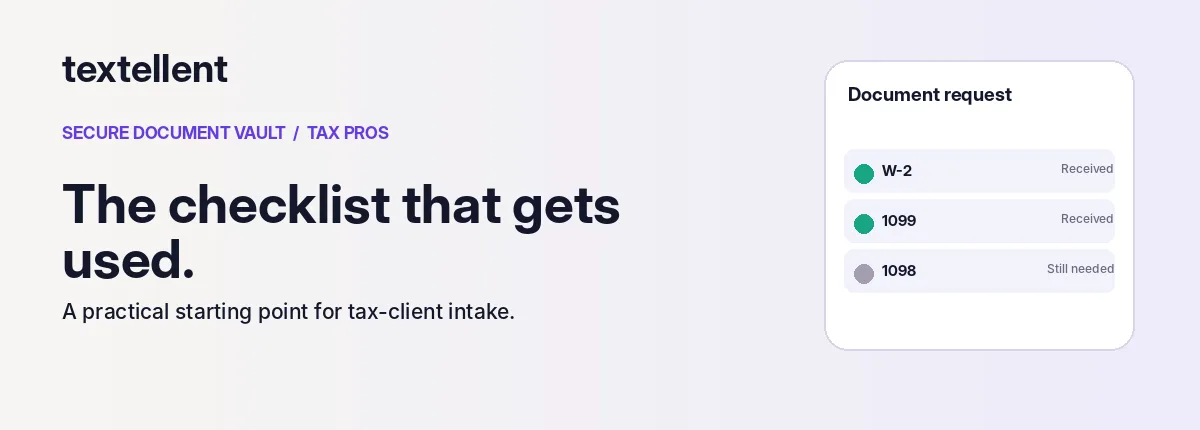
Use this checklist as a starting point for 2026 tax-year returns filed in 2027, not as a universal list for every taxpayer. Your preparer should tailor it based on the client’s actual situation and current IRS guidance.
Start with client and household information
Request prior-year return information if your firm does not already have it, updated contact details, applicable identity-verification information, and a brief note about major life changes. Marriage, a new dependent, a home sale, relocation or a new business may change what documents the firm needs.
Do not ask clients to send identification numbers, government IDs or bank details in ordinary SMS replies. Use the firm’s approved secure intake process and privacy controls.
Income checklist
- Form W-2 from each employer.
- Relevant Forms 1099, such as 1099-NEC, 1099-MISC, 1099-INT, 1099-DIV, 1099-R or 1099-G.
- Social Security Benefit Statement (SSA-1099), if applicable.
- Brokerage statements and other investment-income records.
- Rental income and records of expenses, where relevant.
- Business, contract, gig or other self-employment income records, even when no 1099 was received.
- Digital-asset transaction records where applicable.
Deduction and credit records
- Home mortgage interest and property tax records if relevant.
- Charitable contribution receipts and other substantiation.
- Student or educator-related records where applicable.
- Childcare or dependent care expense information.
- Health Savings Account contributions and distributions, when relevant.
- Marketplace health coverage Form 1095-A if applicable.
- Estimated tax payment records.
A client may not recognize an acronym, so consider using plain-language labels next to the form number. “Mortgage interest statement (Form 1098)” is often clearer than “1098” alone.
Business-owner and self-employed checklist
Depending on the business, request a year-end profit-and-loss statement, balance sheet, business bank reconciliation, payroll reports, contractor payment records, deductible expense records, mileage logs, inventory or asset purchases, and information about estimated tax payments. Do not assume each business needs all of these items. Let the professional tailor the request.
Turn the checklist into a three-option workflow
For every requested item, give the client a clear response choice:
- Upload — “Here is the document.”
- Already provided — “Your office has this.”
- Not applicable — “This does not apply to me.”
Allow a short comment such as “Employer has not issued it yet.” Those details can reduce repeated clarification requests.
Create useful templates, not a single mega-checklist
Build one core template for common 1040 clients, one for self-employed filers, and one for small-business owners. Then customize each request. A concise and relevant checklist is more helpful than a generic list of 80 possible forms.
The IRS Gather Your Documents resource is a useful reference for broad categories of tax records. Because rules and client facts change, tax professionals should review the official guidance before publishing year-specific guidance.
Make the response process easy
Textellent Secure Document Vault lets tax offices create reusable request templates and send a client a secure link by text. Clients verify using a code and PIN, then upload or indicate an item’s status through a phone-browser workflow. The office can see progress and follow up on what remains unresolved.
A checklist is not just a downloadable PDF; when connected to a trackable request process, it can become a working intake system for your practice.
FAQ
Is every item required for every return?
No. Tailor the request to the client’s facts and current tax rules.
Can clients respond from a phone?
Textellent’s described Vault workflow supports phone-browser uploads; verify the current implementation in a demo.
Should we accept tax forms by ordinary text?
Prefer a reviewed secure upload workflow for sensitive documents instead of routine MMS attachments.
Next step: See how to turn a checklist into a secure document request. Request a 15-minute demo.
Tax content requires qualified practitioner review prior to publication; this is an operational checklist, not personalized tax advice.